1:34
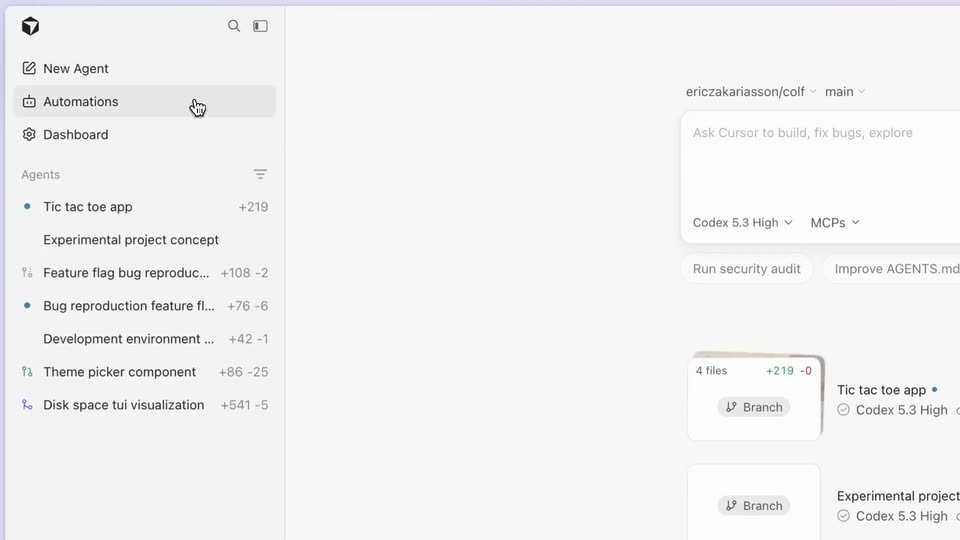

Introducing Automations: always-on coding agents
Cursor · Developer tools · Mar 2026
Ramp · Mar 2021 · 1:20 · AI-annotated
The video is built as a logo bookend around six back-to-back UI feature demos, each entered with a crossfade or slow zoom-out and driven by a single cursor and one voiceover line. Keep the pace even and the frames flat: off-white fields, black sans-serif type, yellow accent buttons, and no camera moves beyond gentle zooms and fades.
Cursor · Developer tools · Mar 2026
Microsoft · AI · Sep 2026
Windsurf · Developer tools · Jun 2025
The lowercase ramp wordmark with a curved slash sits centered on a plain off-white field. It fades in from light gray to solid black over the first second, then holds locked-off for the rest of the clip.
On-screen text: “ramp”
Camera: Static
The gray ramp wordmark on a white field crossfades into the Cards screen, where a table of card rows, a search bar and a yellow Create Card button fade in. A cursor rests at the top right.
Camera: Static
A cursor glides to the yellow Create Card button on a cards list view, then the screen crossfades into a New Card template picker showing virtual and physical card options.
Techniques: Cursor demo
Camera: Static
A card-management interface fills the frame, a left list of employee cards beside a right New Card panel with Basic and Most Common templates. The view slowly zooms and reframes toward the right panel, pushing the list's left columns off screen.
Techniques: UI zoom
Camera: Push in
A light settings screen shows a utilization list on the left and four card templates under Basic and Most Common headings. A hand cursor moves to the Per Diem Card, which gains a highlighted border.
Techniques: Cursor demo
Camera: Static
A light dashboard grid of card options fills the screen, the cursor hovering over the Per Diem Card tile. The view then switches to a card settings form listing card type, name, amount and frequency fields.
Techniques: Cursor demo
Camera: Static
A card-creation form fills in as a cursor selects a cardholder from a dropdown, types a dollar amount, then a category list panel opens on the right beside the card list.
Techniques: Cursor demo
Camera: Pull out
A two-panel card management screen: a static card list on the left and a scrolling category list on the right. A cursor moves down the right list and flips the Restaurants toggle green, switching the bottom button to a green Allow 1 Category.
Techniques: Cursor demo
Camera: Pan
A white phone mockup fades in centered on a plain white background. A light-gray chat bubble near the top of the screen shows a transaction receipt request, its text resolving from faint to readable.
Camera: Static
A flat white phone mockup sits centered on a plain off-white background. Inside, a chat thread builds up: a receipt-request message, a follow-up with an email address, a photo of a crumpled receipt in a hand, and a 'Receipt matched!' bubble. The sequence holds, then fades out.
Camera: Static
A phone chat showing a receipt photo and a matched-receipt confirmation fades out, crossfading into a desktop accounting dashboard that settles on its transaction table.
Camera: Static
A light accounting dashboard fades in from white, revealing a transaction table with vendor rows and a yellow Sync button. A cursor arrow rests near the top of the page.
Camera: Static
A static accounting dashboard shows a transaction list under the Ramp Card tab. A cursor drifts down from the header to rest near the Category Rules count.
Techniques: Cursor demo
Camera: Static
A QuickBooks Category Rules side panel slides in over the dimmed Accounting page; the cursor opens a dropdown, types tra and picks Travel. The panel closes, the cursor clicks the yellow Sync button, and a Review and Sync list of transactions appears, ending with the green button reading Synced.
Techniques: Cursor demo
Camera: Static
The interface zooms out from an Accounting page, where a Review & Sync panel lists vendors with prices and a cursor hovers the Sync to QuickBooks button, to a full Vendors dashboard with an expanded sidebar and a spend table.
Techniques: UI zoom, Cursor demo
Camera: Static
A light Vendors table with a left nav menu fills the frame. A cursor drifts over the merchant rows as the list scrolls down, revealing Cloudflare, Typeform and Zendesk entries.
Techniques: Cursor demo
Camera: Pan
A cursor sweeps across a horizontal row of insight cards in a finance dashboard, scrolling them left to reveal spend and subscription alerts, then hovers over a green checkmark. The page header and a spend chart stay fixed below.
Techniques: Cursor demo
Camera: Static
A cursor picks SaaS / Software from the category dropdown, the chart recolors pink and a hover shows a $7,208.05 tooltip. The view scrolls down as the cursor clicks the People tab, swapping the merchant rows for a people list, then fades to white.
Techniques: Cursor demo, UI zoom
Camera: Push in
A washed-out dashboard with a People spend table fades to white. A white card sits at left with a light-blue Ramp alert pill, which then fades away, leaving the blank card.
Camera: Static
A Slack-style window fades in: a dark sidebar with a highlighted Ramp item beside a white chat feed. Ramp alerts fade in one by one as the feed scrolls up, ending on a large-transaction alert.
Camera: Static
A faint product dashboard fades out on the left as the light gray ramp wordmark and curved bird mark scale into the center of a plain off-white background, holding still as the sign-off.
Camera: Static
A centered black ramp wordmark with a curved swoosh mark appears on a plain off-white field. It holds briefly, then fades and scales out to blank.
On-screen text: “ramp”
Techniques: Kinetic type
Camera: Static