3:01
Beyond AI Meeting Notes: Meet the New Tana
Tana · Productivity · Jun 2026
Ramp · Sep 2026 · 2:02 · AI-annotated
The video alternates a presenter in a sunlit home office with clean UI demos on a warm off-white canvas, using yellow wipe panels to jump between segments. Pacing is steady at about three cuts per minute, with the presenter bridging the feature demos and yellow accents (buttons, highlights, panels) carrying the brand identity.
Tana · Productivity · Jun 2026
Rive · Design · Feb 2025
Runway · AI · May 2026
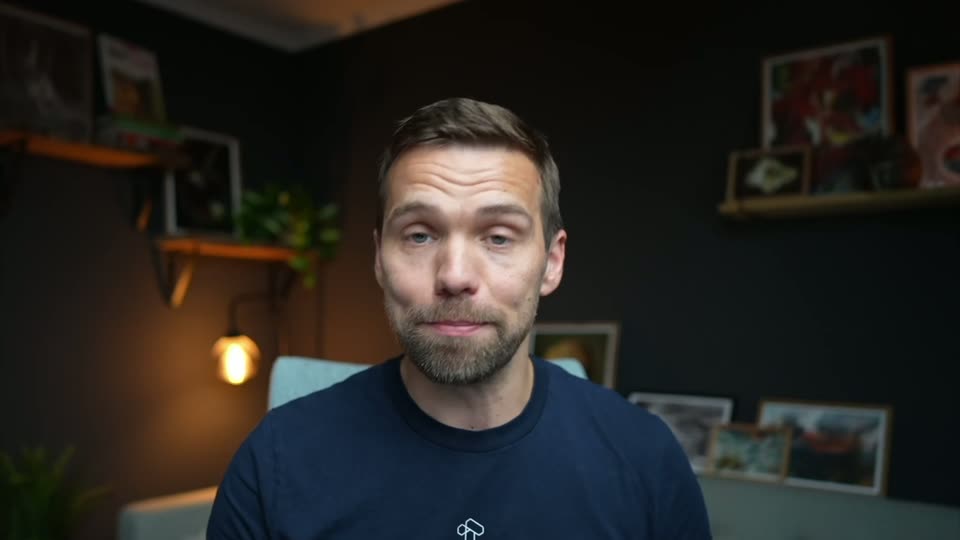
A man in glasses and a black T-shirt sits behind a closed laptop, talking to the camera in a bright room. A yellow Accounts Receivable pill with a black logo pops over his chest, the logo turns into an arrow, and a name card appears at bottom left.
On-screen text: “Accounts Receivable”, “Matt Alston”, “Product Management, Ramp”
Camera: Static
A man in a black T-shirt and glasses sits at a light wood desk with a laptop, talking in a bright room with a plant and window. The right-weighted shot holds, then cuts to a centered wide angle with the laptop in front of him.
On-screen text: “ra”
Camera: Static
A man in glasses and a black T-shirt sits behind a closed MacBook on a bright desk, talking to the camera in a static medium shot. A lamp and white spheres sit at left; a wooden shelf with a yellow item stands at right.
Camera: Static
A flat yellow panel slides in from the left, covering a sunlit room until the frame is entirely yellow. A small text fragment, “ra”, holds at the right edge.
On-screen text: “ra”
Techniques: Masking
Camera: Static
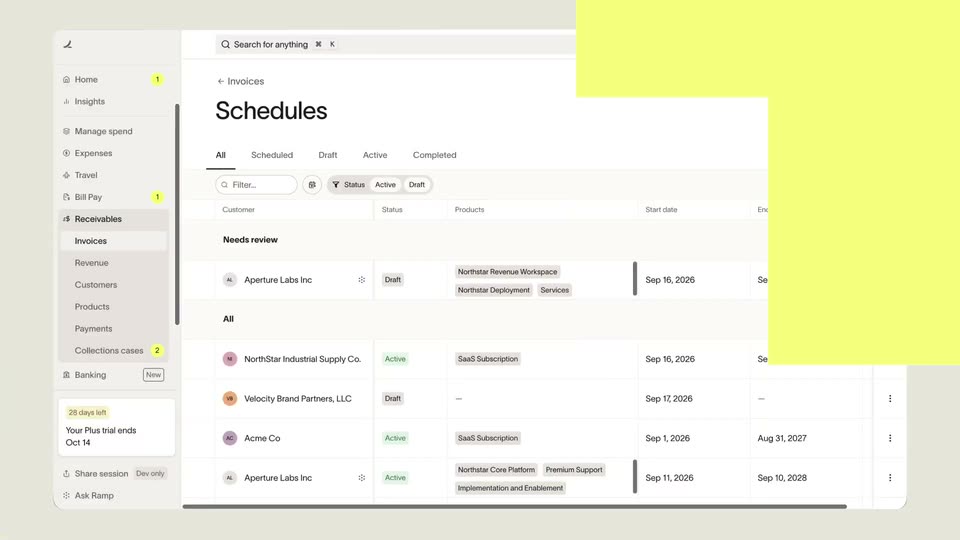
A schedules dashboard is uncovered by a receding yellow mask. A cursor clicks the New schedule button, a dropdown opens, and the cursor rests on the Upload a contract or document option.
Techniques: Masking, Cursor demo
Camera: Static
A Schedules screen with a centered upload dialog. The background list slowly blurs and dims while the dialog stays sharp, and a cursor moves into the dashed drop zone.
Techniques: Cursor demo
Camera: Static
A dark macOS file dialog sits centered over a blurred app screen. The cursor moves down the file list and clicks Northstar_Co_rider_Form.pdf, highlighting the row and filling the right pane with its details while the Open button turns blue.
On-screen text: “Upload billing schedule documents”
Techniques: Cursor demo
Camera: Static
A dark macOS file dialog with a contract PDF preview closes, revealing the Ramp Schedules list, where a cursor glides over the rows. A Configure schedules panel slides in from the left to show billing details, then slides out.
On-screen text: “https://ramp.com/accounts-receivable/invoices/schedules/completed”, “https://ramp.com/accounts-receivable/new/10991-7985-7937-8-515-398045455142”
Techniques: Cursor demo
Camera: Static
A split screen shows a billing schedule form on the left scrolling down through customer, details, payment and schedule fields, while a cloud services order form document stays fixed on the right. A cursor drifts across the left panel.
Techniques: Split screen
Camera: Pan
A billing-schedule modal fades from a payment form into a two-pane review view: a four-invoice list on the left, an invoice preview on the right. A cursor scrolls the list and clicks the yellow Start schedule button, then the screen cuts to the schedules overview.
Techniques: Cursor demo
Camera: Static
A three-panel billing interface holds still while the center panel scrolls down, revealing the Products table and then the Invoices list. A cursor drifts in and hovers over the INV-24 row. The left schedule list and right timeline stay fixed.
Techniques: UI zoom, Cursor demo
Camera: Static
A man in a black t-shirt and glasses sits behind a closed laptop at a light desk, speaking directly to the camera. The locked-off medium shot frames him against a bright window, a lamp, and a wooden shelf.
Camera: Static
A rounded product interface on a beige background shows a Collections cases table. After a static hold, the main pane changes to an AR Collections Policy document with sender identity and reminder timing, while the sidebar stays fixed.
Camera: Static
A document editor on the left auto-scrolls through a policy document with headings and bullet lists, while a chat panel on the right stays fixed showing a greeting and two suggestion chips.
Techniques: Split screen
Camera: Static
A split product screen shows a policy document editor on the left and a chat assistant panel on the right. The left panel slides right to reveal a plus and a grip handle in the margin, while the rest of the interface stays static.
Camera: Static
A locked-off view of the Ramp collections interface. A cursor hovers across the customer rows, then the left panel and main table slide and fade into a Collections cases list with a search field and a loading spinner.
Techniques: Cursor demo
Camera: Static
Front-on view of a collections case screen. The cursor expands a collapsed reminder email, scrolls to the resolution box, and a yellow highlight sweeps across the line 'Promised to pay on Sep 18, 2026' before a cut to a payments table.
Techniques: Cursor demo
Camera: Pan
A light payments table fills the screen. A cursor moves to the top customer row, and a tooltip reading Created by AI cash application appears. The view then cuts to that payment's detail page, showing a full green applied-balance bar.
Techniques: Cursor demo
Camera: Static
A payment detail screen holds still while a cursor glides to the sync icon beside the title, popping up two small tooltips in sequence, then moves up to the Payments header and the view returns to the list.
Techniques: Cursor demo
Camera: Static
The Ramp web app shows the Receivables Payments table. A cursor travels down the left sidebar, pausing on items such as Travel, Invoices and Revenue as the Receivables section expands to list its sub-pages.
Techniques: Cursor demo
Camera: Static
A yellow panel wipes off the right edge to reveal the Revenue page, showing a green close banner, four KPI figures and a schedule table. A cursor drifts over the rows, then a yellow panel wipes in from the left to cover the view.
On-screen text: “https://qa.ramp.com/accounts-receivable/revenue”
Techniques: Masking
Camera: Static
A pale yellow field brightens to saturated yellow as a white icon toolbar with an RG avatar slides out at the top right. Two cream 3D spheres rise into frame at the bottom left, and a white pill reading 100% pops in at the bottom right.
Techniques: 3D mockup
Camera: Static
A man in glasses and a black t-shirt sits at a white desk behind a closed MacBook, talking to the camera in a bright room. A yellow panel wipes away at the start, and the shot dims as the white 'ram' wordmark fades in.
On-screen text: “ram”
Techniques: Masking
Camera: Static
A man in glasses and a black shirt sits at a desk with a laptop while the white ramp logo holds centered; the room fades to black, leaving the logo alone.
Camera: Static
A black frame holds the white ramp wordmark with a small curved icon to its right, centered and locked off, serving as a static sign-off with no motion.
Camera: Static