1:38
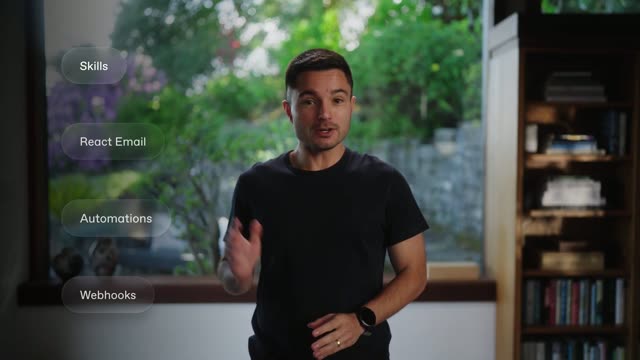

Resend CLI 2.0
Resend · Developer tools · Apr 2026
Perplexity · Feb 2025 · 0:54 · AI-annotated
The video alternates black tagline cards with locked-off dark UI demos, each tagline announcing one Deep Research capability before a slow zoom into the interface. Its signature moves are the italic-serif emphasis words on black, the steady scroll and zoom through the research panel, and the glowing torus knot that bookends the piece.
Resend · Developer tools · Apr 2026
Superhuman · Productivity · May 2023
Superhuman · Productivity · Nov 2023
A glowing translucent torus knot with a small sphere at its core floats over dark water in a dim forest, its reflection mirrored below. White text fades in over the center, holds, then fades out leaving the shape alone.
On-screen text: “INTRODUCING”, “Perplexity Deep Research”
Camera: Static
A faint dark knot shape glows in near-blackness, then the white headline appears centered. The dark app screen fades in to fill the frame, showing the question prompt and input bar with a cursor resting beside it.
On-screen text: “Ask complex questions”
Camera: Static
Dark search page with a typed query fades in beneath a white headline. An open mode menu lists search options; a cursor glides down to Deep research and selects it, the menu collapses into a teal pill, the view pulls back slightly, and the scene fades out.
Techniques: Cursor demo
Camera: Push in
A dark chat interface shows a user query above a Deep research card. Inside, plan text types out, the first step collapses, a second step types in, and source counts plus search pills update. The frame stays locked off.
Camera: Static
A dark AI research screen holds still, a large gray question above a 'Deep research' panel of gray body copy and a 'Searching' line, the frame dimming slightly.
Camera: Static
A black screen holds a centered line of white text that fades in, pauses, and fades out. The phrase reads Get expert-level analysis, with the middle words set in italic serif against the rest in a light sans.
On-screen text: “Get expert-level analysis”
Camera: Static
A dark Deep research panel lists research steps; each new step slides in at the bottom and expands to reveal reasoning text while the list scrolls up, a cyan dot marking the active row. A static tagline closes the scene.
On-screen text: “Get expert-level analysis”
Camera: Static
A dark product panel titled Deep research lists truncated text lines with bullet dots and chevron icons, plus a 26 sources label. The static interface fades to black across the short clip.
Camera: Static
A black screen holds a single centered white line, “More sources. Better answers.”, which fades in, holds, then fades out.
On-screen text: “More sources. Better answers.”
Camera: Static
A dark research chat UI fades in from black, showing the query 'what should i know before the market opens?', source chips, a report, and a man's video thumbnail at top right. The page scrolls slightly, a cursor enters, and a tagline closes the shot.
On-screen text: “More sources. Better answers.”
Techniques: Cursor demo
Camera: Pull out
The centered headline “Export reports to share” holds on black between two views of a research-report interface. The interface is dim at first, then brightens, the teal Share button lit, with the report text and a small video thumbnail filling the frame.
On-screen text: “Export reports to share”
Camera: Static
A dark AI chat interface fills the frame. The view zooms into the Export button under the answer, a cursor clicks it to open a PDF, Markdown, Perplexity Page menu, then zooms back out as a download confirmation toast appears top right.
Techniques: UI zoom, Cursor demo
Camera: Pan
A dark AI assistant window holds a trading checklist and a video panel with action rows. A download toast fades from the top right while a PDF document fades in behind the window, its page thumbnails and title emerging around the edges.
Camera: Static
A PDF viewer window fills the frame, its document pane scrolling steadily downward through the checklist's section headings while the left thumbnail strip stays fixed. A mouse cursor rests at the right edge.
Camera: Pan
On a black background, the centered tagline reads “Free for everyone.” The phrase “Free for” sits in a clean sans-serif while “everyone.” in italic serif fades in beside it. The frame stays locked and centered throughout.
On-screen text: “Free for everyone.”
Techniques: Kinetic type
Camera: Static
A black frame holds a centered tagline reading “Free for everyone.” The first words are in a plain sans face while “everyone” shifts to an italic serif. The line stays locked and static for the full shot.
On-screen text: “Free for everyone.”
Camera: Static
A translucent interlocked-ring logo hovers over a dark forest at dusk, a warm glow blooming in its center and fading. The white URL perplexity.com fades in across the middle and holds as the light dims; a small caption Free for everyone. joins below it.
On-screen text: “perplexity.com”, “Free for everyone.”
Camera: Static
A plain black background holds the URL perplexity.com centered in small white type, locked off and static for the full shot.
On-screen text: “perplexity.com”
Camera: Static