0:41

Meet Jockey, TwelveLabs' video intelligence agent, now in general availability
TwelveLabs · AI · Oct 2026
OpenAI · Sep 2023 · 1:00 · AI-reviewed
The video is built as one continuous chat conversation in which a prompt types out letter by letter, then the response of generated images or story text scrolls or fades into view, repeating in a steady, unhurried rhythm. Its signature moves are the blinking-caret typing, images emerging from gray placeholders, gentle vertical scroll-ups, and locked-off illustrated frames with a faint idle drift, all on a pale canvas that ends on a flat dark teal brand card.
TwelveLabs · AI · Oct 2026
ElevenLabs · AI · Oct 2026
Anthropic · AI · Feb 2025
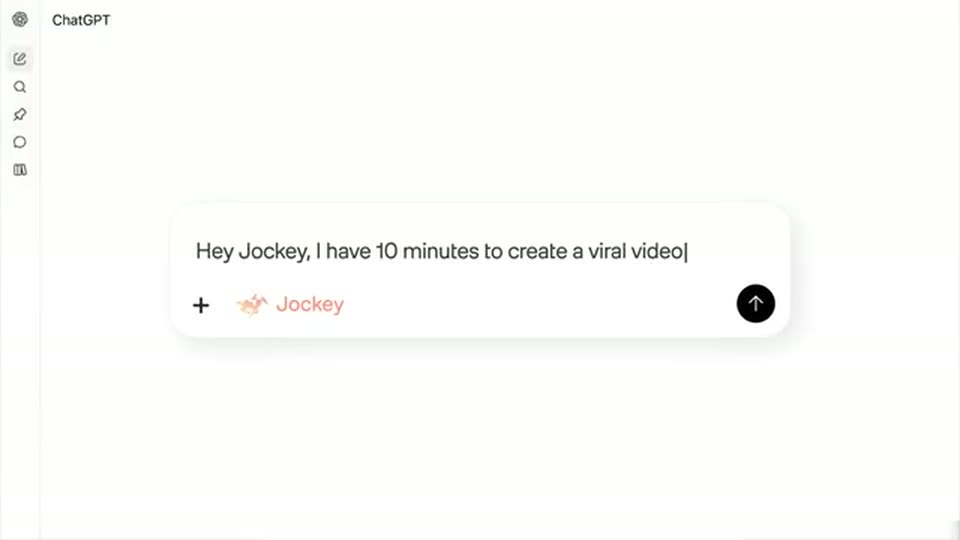
The ChatGPT wordmark sits above a white rounded search bar on a pale background. A prompt types out letter by letter with a blinking cursor, the bar expands to two lines, and the frame zooms in on the field.
Techniques: Kinetic type, UI zoom
Camera: Static
Four illustration ideas appear in a ChatGPT response and resolve into a grid of hedgehog pictures. One picture expands into view before the next prompt.
Techniques: UI zoom
Camera: Pan
A cartoon hedgehog walking through a sunflower meadow sits above a rounded prompt field. A blinking caret types the prompt letter by letter, the box widening and growing to a second line as the text fills it.
On-screen text: “My daughter says its name is Larry.”, “Can I see more like this?”
Techniques: Kinetic type
Camera: Static
A chat interface displays a user prompt at the top. Below, four cartoon illustrations of a hedgehog with sunflowers fade into a two-by-two grid next to an orange app icon.
On-screen text: “My daughter says its name is Larry.”, “Can I see more like this ?”, “MI”
Camera: Static
A request to show Larry the hedgehog's house types into the ChatGPT prompt field.
Techniques: Kinetic type
Camera: Static
ChatGPT displays an illustration of Larry beside a small woodland house and a mailbox. The frame moves from the response to a close-up of the picture.
Camera: Static
A locked-off view shows an illustrated hedgehog at a blue LARRY mailbox above a white input field. The field types a sentence character by character, ending with SUPER-DUPER? and a caret.
Techniques: Kinetic type
Camera: Static
ChatGPT lists the hedgehog's qualities in its response. The view scrolls down toward the next prompt.
Camera: Static
A flat chat interface fills the frame. At the top, an AI response paragraph resolves from overlapping scrambled letters into clean lines, with copy, like and dislike icons beneath. In the input field below, a user prompt types itself out letter by letter, ending on a blinking caret.
Techniques: Kinetic type
Camera: Pan
A generated illustration fills the frame: a hedgehog sits on a flower-covered hill with small creatures around it. The picture holds during a gentle reframe.
Camera: Static
A locked-off close-up of a chat interface: a watercolor hedgehog in a flower meadow fills the top, above a white rounded input field. The prompt Could you design some stickers? types out character by character with a blinking caret.
Techniques: Kinetic type
Camera: Static
A chat screen shows the prompt “Could you design some stickers?” over a 2x2 grid. The four hedgehog-and-sunflower sticker tiles fade in from gray placeholders to full color, one after another, top-left to bottom-right.
Camera: Static
A bedtime-story request types into the ChatGPT prompt field, then the interface scrolls toward the answer.
Techniques: Kinetic type
Camera: Static
ChatGPT types the story title and opening paragraphs while the view drifts downward.
Techniques: Kinetic type
Camera: Static
A new prompt asks to see Larry dreaming. Text types into the field, then ChatGPT starts its reply.
Techniques: Kinetic type
Camera: Static
A generated illustration of a sleeping hedgehog fills the frame. The camera moves closer to the same still picture.
Camera: Static
A small orange rounded-square icon sits left of center on a plain light gray field. A sentence types out beside it, character by character, wrapping to a second line. Locked-off frame, steady pace.
On-screen text: “I hope these capture the enchanting world of Larry”, “and his sunflower escapades!”
Techniques: Kinetic type
Camera: Static
The peach ChatGPT wordmark holds centered on a dark teal background.
On-screen text: “ChatGPT”
Camera: Static
The peach closing title With DALL·E 3 replaces the wordmark on the same dark teal background.
On-screen text: “With DALL·E 3”
Camera: Static