0:47
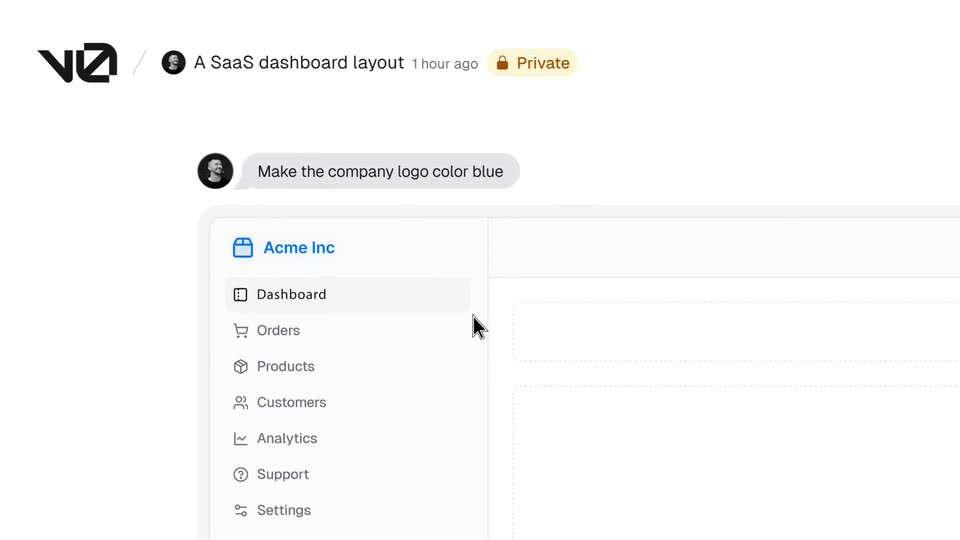

Introducing v0: Generative UI
Vercel · Developer tools · Oct 2023
Notion · Apr 2025 · 1:00
The video is built as a chain of centered headline cards that each announce one capability, followed by a tight cursor-driven demo inside a clean white panel on a pale blue field, bookended by a name-and-tagline intro and a URL call to action. Its signature moves are the line-drawn paper plane that flies across the cream cards, the 3D tilt-and-rotate of the inbox mockup, and hand-drawn doodle icons that punctuate the close.
Vercel · Developer tools · Oct 2023
Anthropic · AI · Jan 2026
Airtable · Productivity · Sep 2021
A black paper airplane icon slides in from the left edge and grows as it moves to the top right corner. The bold headline Meet Notion Mail slides into the center of a light gray background, then holds still.
On-screen text: “Meet Notion Mail”
Techniques: Kinetic type
Camera: Static
A gray macOS dock sits on a light blue textured backdrop. A cursor moves to the third icon, which morphs from a colorful shape into a black paper-plane logo, then clicks it. A headline, Meet Notion Mail, slides in above the dock.
On-screen text: “Meet Notion Mail”
Techniques: Morph, Cursor demo
Camera: Static
A black two-line tagline sits centered on a cream background as a small dark paper-airplane mark flies from the middle of the text down and to the right, exiting the frame.
On-screen text: “The inbox that thinks like you”
Camera: Static
A tilted 3D mockup of a Notion inbox floats on a pale blue gradient, rows and sidebar labels doubled by motion blur. The dark two-line headline 'The inbox that thinks like you' holds over the list as the view punches in, scaling sidebar and sender names to fill the frame.
On-screen text: “The inbox that”, “thinks like you”
Techniques: UI zoom
Camera: Static
A light gray sidebar titled Views lists colored icons and labels that fade and slide in one after another, while a column of names sits to the right.
Camera: Static
A tight crop of an email list shows subject lines with small colored category tags beside them. The view pulls back to reveal the full inbox window, adding the left sidebar of folders and sender names.
Techniques: UI zoom
Camera: Pull out
A white inbox interface tilts in 3D perspective against a soft blue gradient, then rotates flat as the email list scrolls upward. A cursor moves to the top-right menu and the Auto label tag appears.
Techniques: 3D mockup, Cursor demo, UI zoom
Camera: Pull out
The headline “It organizes itself” sits centered in black bold type on a cream background while a gray triangle outline draws and expands below it, then a cut reveals a light UI panel with an Auto label button.
On-screen text: “It organizes itself”
Camera: Static
A white Notion panel slides up on a pale blue backdrop, the Auto label button settling into the top-right. A black cursor clicks it, a dropdown opens, 'Hiring' is typed, and three suggested labels appear.
On-screen text: “It organizes itself”
Techniques: Cursor demo
Camera: Static
A white inbox panel on a pale blue background lists emails with colored category labels and timestamps. The view zooms in on the right side, enlarging the labels and times until only the label column fills the frame.
Techniques: UI zoom
Camera: Push in
A pale sidebar lists views with colored icons: Inbox, Calendar, Hiring, Support, Travel. A black cursor glides up from the lower right and rests on the Hiring row, which fills with a soft gray highlight.
Techniques: Cursor demo
Camera: Pull out
A Gmail-style inbox fills the frame. A cursor moves down the left sidebar, selecting Hiring, then Support, then Travel. Each click crossfades the email list on the right to the matching category, with sender names, subject lines and date labels sliding into place.
Techniques: Cursor demo
Camera: Static
A bold black headline reads “It drafts your emails,” centered on a cream background. A black paper-airplane outline hovers below the right of the text, then drifts down and right, exiting the lower-right corner.
On-screen text: “It drafts your emails”
Camera: Static
A light blue textured panel fills the left edge and a thin gray line crosses the top of a white field. The word /snippet types in letter by letter at center, starting with /snipp and completing to /snippet.
On-screen text: “/snippet”
Techniques: Kinetic type
Camera: Pull out
A white snippet menu fades in under the /snippet command in a CRM record view, listing five named snippets with icons, as a black cursor hovers over the Create new snippet row at the bottom.
Techniques: Cursor demo
Camera: Pull out
A snippet list panel with a cursor hovering over Partnership sits over an email draft. The panel closes and the frame zooms into the email body, where the template variables resolve to the recipient's name and company.
Techniques: Cursor demo, UI zoom
Camera: Static
A bold black headline reads “It schedules your meetings” centered on a cream background. A line-drawn paper airplane glides up past the word “your” and exits the top of the frame, leaving the static text alone.
On-screen text: “It schedules your meetings”
Camera: Static
A chat card shows a reply ending with a /schedule command. A cursor picks the Schedule option, a week calendar pops up, and the cursor drags across Wednesday to drop a 1:30 to 2:30 block, updating the time bar below.
On-screen text: “It schedules your meetings”
Techniques: Cursor demo
Camera: Push in
Centered black text on an off-white background reads It makes email beautiful. A hand-drawn black arrow shape appears near the lower right and exits, leaving the plain text card.
On-screen text: “It makes email beautiful”
Camera: Static
A cursor drafts an email in the Notion Mail composer: AI text fills the body, a slash menu inserts a heading, and a page link is added. The camera zooms onto the Send button, and a large headline reads “It makes email beautiful”.
On-screen text: “It makes email”, “beautiful”
Techniques: Cursor demo, UI zoom
Camera: Push in
On a cream background, the centered black CTA 'Get started for free at notion.com/mail' holds still while two line-drawn paper airplanes fly off screen, the top-left one exiting first and the bottom-right one last, leaving the text alone.
On-screen text: “Get started for free at”, “notion.com/mail”
Techniques: Kinetic type
Camera: Static
Hand-drawn doodle icons (paperclip, lightbulb, braces, at-sign, lightning, power button, paper plane, AI stamp) drift and rearrange across a plain off-white field, then a headline and URL settle at the bottom.
On-screen text: “Get started for free at”, “notion.com/mail”
Camera: Push in
A red paperclip in a stamp with wavy lines and a cut-off black @ sit on a light gray field, then the frame cuts to a small white 3D cube with a black serif N centered.
On-screen text: “@”, “N”
Camera: Static
The Notion cube logo and wordmark sit centered on a plain off-white background, held in a locked-off frame for the full shot.
Camera: Static