0:26

Introducing Hana - A new canvas for interactivity - by Spline
Spline · Design · Apr 2025
Miro · May 2020 · 1:03 · AI-annotated
Live-action shots of the host bookend one continuous Miro workshop demo, with the app window shown in 3D perspective that flattens and pushes into the canvas. The style is built on smooth zoom and pull camera moves, named orange cursors, and UI elements like chips, buttons and sticky notes that animate in on the beat.
Spline · Design · Apr 2025
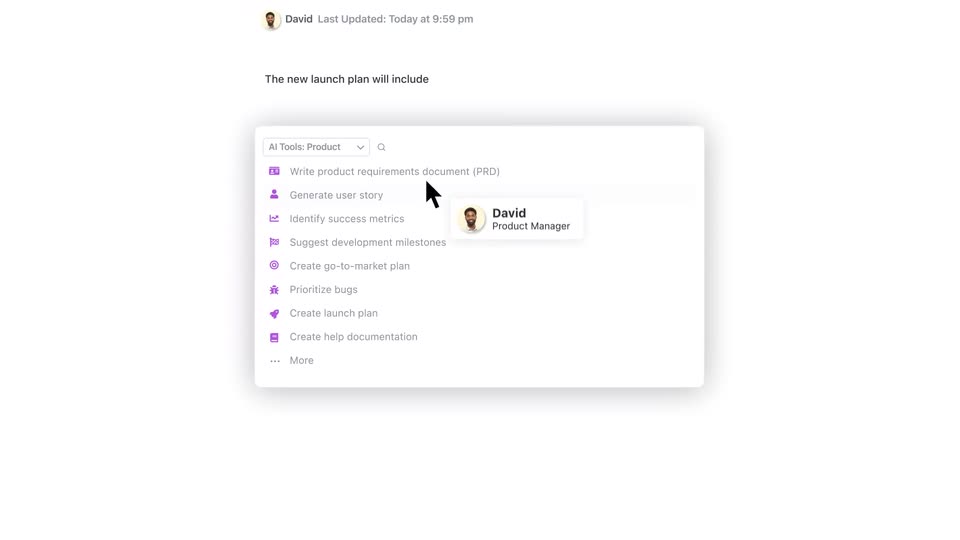
ClickUp · Productivity · Jun 2023
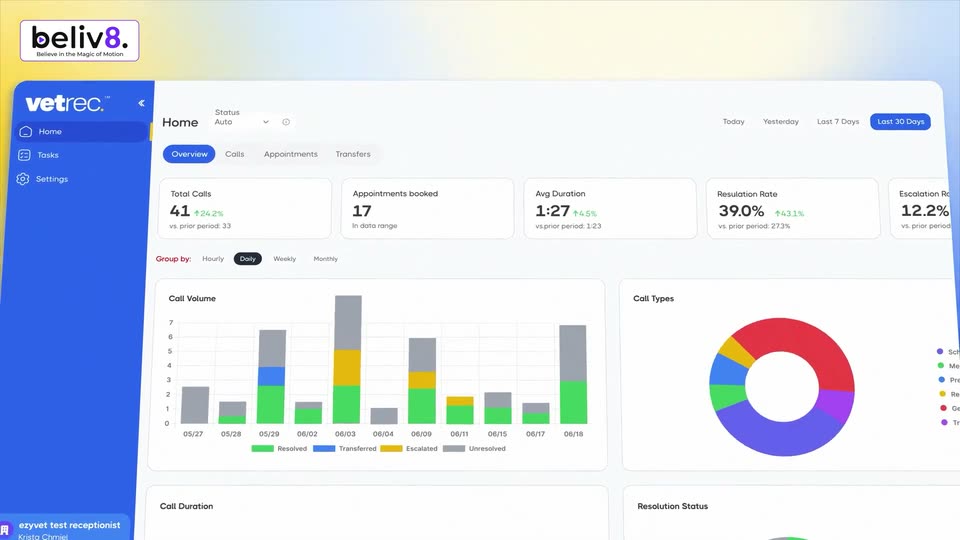
VetRec · Sep 2026
A man in a black shirt sits at a desk, talking while looking down at a closed silver laptop. A potted plant stands left, a bookshelf right; a mug, blue tablet and white mouse sit on the desk. Static medium shot.
Camera: Pull out
Four people appear in a 2x2 video call grid, each framed from the chest up in a home office. The woman in orange and the bearded man in tan wave at the camera while the others smile and talk. The grid stays static for the full clip.
Techniques: Split screen
Camera: Static
Top-down shot of hands typing on a laptop keyboard beside a notebook and coffee mug. A white pill with the Miro logo and “miro.com” scales in, an orange “Kevin” tag pops below it, then a blue “Sign up free →” button slides in above the tag.
On-screen text: “miro.com”, “Kevin”, “Sign up free →”
Techniques: Kinetic type
Camera: Static
A Miro app window sits tilted in 3D perspective on a lavender field. The view pushes into the canvas as an orange cursor tagged Kevin moves to a Note card, where the title Purpose and Goals and a paragraph of body copy type in.
On-screen text: “Sign up free →”
Techniques: 3D mockup, UI zoom, Cursor demo
Camera: Push in
A template chooser screen with a sidebar and a grid of labeled thumbnail cards. Two orange 'Kevin' callouts with arrows point at the Ice breaker and Retrospective cards; the view reframes as the Ice breaker card reveals Add and Show preview buttons.
On-screen text: “Kevin”
Techniques: UI zoom
Camera: Static
A Miro window tilts from 3D perspective into a flat front view, then the view zooms into the canvas. Colored sticky notes sit under an Outline heading as a lock icon pops in and the Kevin cursor drifts across the board.
Techniques: 3D mockup, UI zoom
Camera: Push in
Centered on a gray background, a white modal dialog fades in. Four email address chips slide into the recipient field one after another. An orange 'Kevin' tag points to the send button, then the whole modal scales down and vanishes.
Camera: Static
A white rounded bar pops into the center of a plain light background, holding three ringed avatars and a gray +5 circle. A blue cursor arrow with motion lines slides in at the left edge, while a small orange Kevin tag bobs below the bar.
Techniques: Cursor demo
Camera: Static
A close-up of the participant avatars and the Kevin cursor zooms out to the full whiteboard, where two rows of colored cards lay out the workshop agenda.
Techniques: UI zoom
Camera: Pull out
The Miro workshop board shows a grid of colored sticky notes as a three-person video call panel fades in on the right. Named collaborator cursors sit on the canvas, a hover tooltip pops over a participant avatar, and the view pulls back to frame the full window.
Techniques: Cursor demo
Camera: Push in
A collaborative whiteboard fills the frame, split into a lavender left third and a gray canvas on the right. A white vertical toolbar of dark line icons stands at the center, while an orange Kevin cursor glides down the canvas and a purple Rebecca tag holds at the top.
Camera: Static
A Miro workshop window pulls back from the toolbar to show three boards of sticky notes beside a video call strip; the notes swap from personal prompts to action items, then the view zooms in on a five-minute timer under Kevin's cursor.
Techniques: UI zoom, Cursor demo
Camera: Pan
The camera pulls back from a countdown timer to a Miro workshop board where colored initiative cards collect live vote counts while a Kevin cursor roams the tools. A presentation panel slides in on the left, then the view cuts to a retrospective board with four participant cursors.
Techniques: UI zoom, Cursor demo
Camera: Pull out
A Miro workshop board with Good, Bad and Actions columns of sticky notes fills the frame. Named participant cursors in purple, orange and teal glide between the notes while three video call feeds play in the right panel.
Techniques: Cursor demo
Camera: Static
A man in a black henley sits at a desk with a silver laptop, smiling at the screen. He lifts his open right palm toward the camera in a high-five gesture. A leafy green plant stands to his left against a plain white wall.
Camera: Static
A smiling man in a black henley sits at a desk behind a closed laptop, waving both open palms toward the camera in a greeting. A leafy green plant stands to his left against a plain white wall, and he is framed in a static medium shot.
Camera: Static
A small blue dot on a pale lavender field expands into a blue pill button reading “Sign up free →”, with the Miro logo and miro.com below. An orange cursor tagged “Kevin” slides in from the right and drifts around the button.
On-screen text: “Sign up free →”, “miro.com”
Techniques: Morph, Cursor demo
Camera: Static