1:07
HealthTech SaaS Explainer Video | FlexDental x MotionCue
FlexDental · Jul 2026
A 30 second product demo built as a rapid chain of title cards and floating UI panels that morph between full screen, card, and phone frames, with the product name and logo kept visible throughout. Signature moves include the white rounded card sliding in from the left, the 3D tilt and flatten of interface panels over blurred live action, and the blue four-pointed star that reappears as the logo mark in the final lockup.
FlexDental · Jul 2026
Apple · Hardware · Oct 2026
Snowfire · Aug 2026
A smiling man in a tan suit and brown hat sits in a red leather chair, legs crossed, with a reel-to-reel recorder and green plants behind him. A white caption builds word by word across his chest.
On-screen text: “You can use”
Techniques: Kinetic type
Camera: Pull out
A smiling man in a tan suit and hat sits in a red chair by a tape deck. White text 'You can use LangEase' scales in over him, then the frame shrinks into a rounded card showing a title and date beneath.
On-screen text: “You can use”, “LangEase”
Techniques: Kinetic type, Masking
Camera: Pull out
A LangEase library screen pulls back from a single video card to a row of four, each tagged with a country flag (Italy, UK, Germany), then the whole interface shrinks and morphs into a phone frame centered on a light grid background.
Techniques: UI zoom, Morph
Camera: Pull out
On a pale blue gradient background, a dark gray sans-serif sentence types out with a blinking cursor, then gives way to “30 Seconds” in large blue type that scales in with a blur, accented by small blue sparkles.
On-screen text: “I'll Show You How In Under”, “30 Seconds”
Techniques: Kinetic type, Particles
Camera: Static
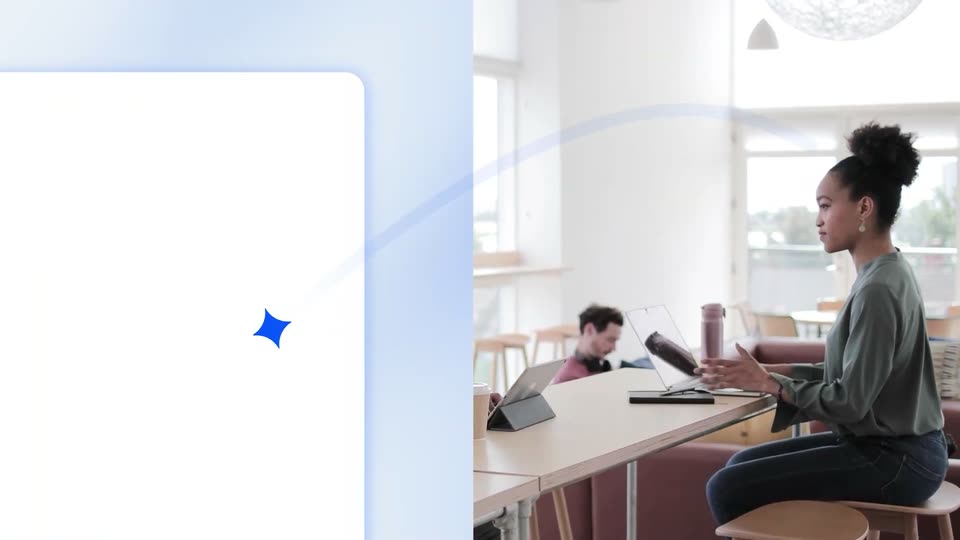
Two people sit at a table in a bright loft, one holding a tablet, while a blue four-pointed star floats overhead. A white rounded card slides in from the left across the frame as the words “30 Seconds” scale in on it.
On-screen text: “30 Seconds”
Techniques: Kinetic type
Camera: Pan
Split screen: a white library interface on the left, a woman working at a table on the right. The interface panel expands to fill the frame and floats as a card over the now blurred office while cursors select tabs and files.
Techniques: Split screen, Cursor demo
Camera: Pull out
A flat LangEase library list floats over a blurred office background; a hand cursor hovers on the first file, then the view cuts to a detail panel showing Language: Italian and an empty Translation field.
Techniques: Cursor demo
Camera: Static
The LangEase interface floats in 3D perspective over a blurred office, then rotates flat as a hand cursor clicks Download and Copy Link, popping a green 'Link copied!' tag.
Techniques: 3D mockup, Cursor demo
Camera: Pan
A 3D-tilted email card slides out to the left as the centered headline “Need subtitles or” settles into place, “Need” in dark navy and the rest in blue, on a pale gradient background.
On-screen text: “Need subtitles or”
Techniques: 3D mockup, Kinetic type
Camera: Static
On a blue gradient field with a faint dot grid, the small line 'Need subtitles or' leads into a large 'voiceover?' that scales in over soft white waveform bars. The text then swaps to 'We've got that too' as the bars pulse on either side.
On-screen text: “Need subtitles or”, “voiceover?”, “We've got that too”
Techniques: Kinetic type
Camera: Static
A glowing video-player frame sits on a blue dotted field while the white headline 'We've got that too' holds above it. Then the player fills with a red-haired creator in headphones at a microphone while the backdrop shifts to a blurred studio.
On-screen text: “We've got that too”
Camera: Pull out
A woman in a black blazer works at a laptop in a blurred office as a LangEase library panel materializes on the right in 3D perspective, two blue feature icons slide past, and the panel scales up to fill the frame, opening a language dropdown.
Techniques: 3D mockup, UI zoom
Camera: Push in
A list of language cards with flag icons scrolls upward along the left edge of a pale blue interface. A glowing blue round button sits on a vertical light beam in the center, and a greeting on the right changes from Japanese to Portuguese to Ukrainian in step with the scroll.
Techniques: Split screen, Kinetic type
Camera: Pull out
A blue four-pointed star centered on a pale blue gradient shrinks and slides left to form the logo mark, as the wordmark LangEase appears beside it. A blue Try free pill and the URL langease.ai fade in below, and the lockup holds.
On-screen text: “LangEase”, “Try free”, “langease.ai”
Camera: Static