0:47

Introducing v0: Generative UI
Vercel · Developer tools · Oct 2023
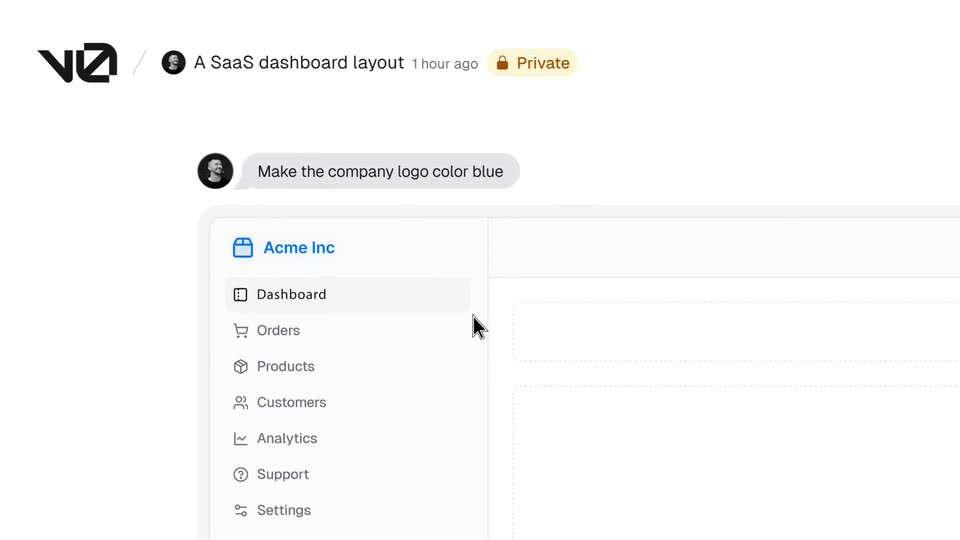
The video alternates locked-off founder talking heads in a bright studio with clean white UI demos, cut at a steady ten cuts per minute. Signature moves are the rack-focus reveals, the orange dot morphing between logo, sphere, and UI accent, and text that types in line by line on both captions and interface cards.
Vercel · Developer tools · Oct 2023
Anthropic · AI · Jan 2026
Notion · Productivity · Apr 2025
A blurred studio set racks into focus as the title “item, San Francisco Ca.” types in over the soft background. Two founders walk in and sit side by side before a white wall; captions and lower-third name tags appear as they introduce themselves.
On-screen text: “item,”, “San Francisco Ca.”, “Okay, ready?”, “Ready.”, “Let's do this.”, “Akshay”, “Co-Founder”, “Andres”, “Co-Founder”, “I am Andres. I'm Akshay, and we're the founders of item.”
Techniques: Kinetic type
Camera: Pull out
A man with glasses and a black sweater sits before a white wall, a potted snake plant at the right; he speaks to camera while name captions and subtitles hold at the bottom of the locked-off frame.
On-screen text: “Andres”, “Co-Founder”, “Akshay”, “Co-Founder”, “I'm Akshay, and we're the founders of item.”, “Over the last year,”
Camera: Static
A man in a black sweater and round glasses sits centered before a white wall, a snake plant rising behind his right shoulder. He speaks to camera while white captions line the bottom edge. The frame stays locked off throughout.
On-screen text: “Over the last year,”, “we watched AI change the way we do work.”
Camera: Static
Two men in dark sweaters sit side by side in a bright room with plants and a glass table behind them. The man on the right speaks to camera while the left listens, and white subtitle lines appear at the bottom of the frame.
On-screen text: “we watched AI change the way we do work.”, “Yet, the system that holds your business together,”
Camera: Static
A man in a navy t-shirt with a clipped lavalier mic speaks to camera against a white wall, a leafy plant at the left edge. White subtitles at the bottom swap between two lines as he talks.
On-screen text: “Yet, the system that holds your business together,”, “your CRM, hasn't really changed in 20 years.”
Camera: Static
Two men sit side by side against a white wall, the one on the left in a navy sweater gesturing while speaking, the one on the right in black with glasses holding still. A potted plant and a brick window flank the frame, a subtitle runs along the bottom.
On-screen text: “your CRM, hasn't really changed in 20 years.”
Camera: Static
Two men sit side by side in a bright room, the one on the left in a navy sweater speaking to camera, plants and a brick wall behind them. A white subtitle line sits at the bottom of the frame. Locked-off medium shot.
On-screen text: “your CRM, hasn't really changed in 20 years.”
Camera: Static
A man in a navy sweatshirt with a chest mic sits centered against a plain light wall, a leafy potted plant at the left edge. He speaks to camera in a static medium close-up as white subtitle captions line the bottom of the frame.
On-screen text: “your CRM, hasn't really changed in 20 years.”, “It's still manual,”, “it's still something that you have to maintain.”
Camera: Static
Two men sit side by side before a white wall flanked by potted plants; the man on the right, in glasses and a black sweater, speaks to camera while a white caption line holds at the bottom of the locked-off frame.
On-screen text: “We spent the last year building a CRM”, “it's still something that you have to maintain.”
Camera: Static
Two men in dark sweaters sit side by side in a bright room with potted plants, speaking directly to the camera. White subtitles caption their speech at the bottom of the frame.
On-screen text: “We spent the last year building a CRM”, “that doesn't just organize information,”
Camera: Static
A man with curly hair and round glasses in a black sweatshirt speaks to the camera, centered against a white wall with a potted snake plant at his right. The locked-off frame stays static while white subtitle captions hold at the bottom.
On-screen text: “that doesn't just organize information,”, “it actually does the work for You.”
Camera: Static
A man with curly hair, round glasses and a black sweater speaks to camera against a white wall, a tall snake plant to his right. A white subtitle sits at the bottom. The frame stays locked and static throughout.
On-screen text: “it actually does the work for You.”
Camera: Static
Two men sit side by side in a bright room; the one on the right, in a black sweater and glasses, speaks to camera. Plants and a console table fill the background. A white caption is centered at the bottom of the frame, then fades out.
On-screen text: “it actually does the work for You.”, “With an AI experience built from the ground up.”
Camera: Static
A man in a navy sweatshirt speaks to camera against a white wall, a leafy plant at left. The frame defocuses and the orange-dot item logo resolves sharp in the center while a subtitle holds at the bottom.
On-screen text: “Today, we're excited to introduce item,”
Camera: Static
The item logo reveals at center on white, the orange dot sliding in from the left as the dark wordmark sharpens from blur. A gray rounded caption box holds the tagline below.
On-screen text: “the CRM that does the work:”
Camera: Static
The item wordmark fades to an orange dot. White rounded app-icon tiles form a ring around it and orbit, then dissolve as the dot swells into a large orange sphere, shrinks to a point, and rests on a date line.
On-screen text: “the CRM that does the work:”, “item starts by gathering the context automatically”, “across all of your customer touch-points.”, “Emails, meetings,”, “transactions, product data”, “and more.”, “It learns who your customers are”, “and has full context on your business,”, “just like a new teammate.”
Camera: Push in
A light activity feed scrolls upward through dated rows with small icons, an orange dot marking the active date. A gray caption bar at the bottom swaps in white subtitle lines in step with the voiceover.
On-screen text: “just like a new teammate.”, “So everyone,”, “humans and agents, work from the same source of truth.”
Camera: Push in
A light gray app interface with a left icon rail and a central pill input. An orange dot pulses, then the placeholder text fades in beside a checkbox chip on the right. A gray subtitle caption appears below and swaps to a second line.
On-screen text: “With full context in place,”, “Item can take care of your tedious tasks in seconds.”
Camera: Static
A pale product interface fades into view, showing a left icon rail, a top title bar, and a faint task card centered below. A dark gray caption bar with white text sits at the bottom edge. The frame stays locked-off.
On-screen text: “item can take care of your tedious tasks in seconds.”
Camera: Static
A close-up of a reminder card titled “Renewal Reminder, Eames Office” on a pale background; body copy types out beneath an orange bullet. The frame zooms out to reveal the card border, avatar, and input box, while a gray caption bar at the bottom swaps lines.
On-screen text: “It flags the deals that need attention,”, “surfaces new opportunities,”
Techniques: Kinetic type, UI zoom
Camera: Static
A white CRM contact card for Ray Eames scrolls up to reveal a payment item, then the frame zooms out to the full assistant app as a cursor clicks Send Renewal Email. An email draft types itself into a card while bottom captions track the voiceover.
On-screen text: “surfaces new opportunities,”, “and even reaches out before you remember to.”, “in a way traditional CRMs never could.”
Techniques: UI zoom, Cursor demo
Camera: Pan
A light gray assistant interface with a left icon rail and a chat input at the bottom. A caption bar sits below the input. A request is typed into the field, then a contact card for Tomas Vega appears above it with two task checkmarks.
On-screen text: “Most of the time, you'll talk to the Assistant.”, “Ask it to find someone,”
Camera: Static
A flat interface view shows a contact card for Tomas Vega with company details and Cancel and Create Profile buttons. The card fades to a ghost while a calendar icon and an invite field fade in below, marking the next workflow step.
Camera: Static
A flat assistant interface crossfades between three tasks: enriching a contact, creating a meeting, and issuing a refund, the command box updating with each. A white caption pill at the bottom states each step, ending on “It's there - helping you every day.”
On-screen text: “send a calendar invite,”, “take actions across products.”, “It's there - helping you every day.”
Camera: Push in
A rounded chat input sits centered on white, its typed line fading in, then clearing to type a second one. The left sidebar dissolves out. A grey bottom caption cuts from 'It's there - helping you every day.' to 'But some work doesn't just happen once.'
On-screen text: “It's there - helping you every day.”, “But some work doesn't just happen once.”
Camera: Static
A grid of pale gray tiles fills a white screen. A centered prompt card holds a line of text, then fades out. Gray caption pills at the bottom swap messages. The view shifts to reveal two prompt cards at the left and right edges.
On-screen text: “But some work doesn't just happen once.”, “It happens every day.”, “Follow-ups. Lead routing. Renewals.”
Camera: Static
A masonry grid of pale gray cards scrolls steadily upward on a white background, a few carrying prompt text and a Run Skills button. A dark gray caption pill sits centered near the bottom throughout.
On-screen text: “Follow-ups. Lead routing. Renewals.”
Camera: Static
A grid of pale prompt cards pans sideways, a few cards showing task sentences and a Run Skills tag. The card text fades out, leaving empty tiles, and the grid pulls back while caption lines swap in at the bottom center.
On-screen text: “Follow-ups. Lead routing. Renewals.”, “And those don't need your attention -”, “they just need to run.”, “That's where agents come in.”
Techniques: Kinetic type
Camera: Static
A light workflow editor fills the frame, then the view zooms into the left document column. The title, goal and step list type in, and trigger chips pop in beside each line, while a dark caption box at the bottom carries the voiceover.
On-screen text: “That's where agents come in.”, “You simply write a document explaining your process,”, “an item turns it into work that gets done.”
Techniques: UI zoom
Camera: Push in
A tight crop of the workflow instructions pulls back with a brief blur to reveal the full Outbound Campaign editor, its Goal, Triggers and Instructions sections plus a Test Skill panel on the right. Bottom captions carry the line about documents becoming AI agents.
On-screen text: “an item turns it into work that gets done.”, “Each document becomes an AI agent,”, “a teammate that executes autonomously.”
Techniques: UI zoom
Camera: Pull out
A grid of interface cards fills the frame, the center one sharp, the rest faded. The camera scrolls across the grid, and one card flashes an orange border. Subtitle captions appear at the bottom in sync with the voiceover.
On-screen text: “You can have dozens of agents”, “running across your company”, “from outbound to inbound”, “to support - all working in sync,”
Camera: Push in
A blurred product screen for a lead-assignment skill snaps into focus, then tilts into a 3D window with a floating icon sidebar. The window's content swaps to a Companies table, and the frame levels back to a flat, front-facing list.
Techniques: 3D mockup
Camera: Push in
Two men in dark sweaters sit side by side against a white wall, a plant on each side and a small table behind them. The man on the right speaks to camera, gesturing with both hands, while a white subtitle line appears centered at the bottom.
On-screen text: “Today, more than 30 businesses already run on item,”
Camera: Pull out
Two men sit side by side in a bright room with white walls and potted plants. The man on the right, in a black sweater and glasses, speaks to camera while the man in navy listens. White subtitle captions appear at the bottom of the frame. Locked-off framing.
On-screen text: “Today, more than 30 businesses already run on item,”, “and our agents”
Camera: Static
A man in glasses and a black sweater speaks directly to camera in a bright room with a white wall and tall plant behind him. White subtitles appear along the lower edge while he talks.
On-screen text: “Today, more than 30 businesses already run on item,”, “and our agents”, “complete more than 50,000 autonomous runs”
Camera: Static
A man with round glasses and a black sweatshirt speaks to camera against a white wall, a tall snake plant behind his right shoulder. The frame stays locked off while he talks, with a white subtitle line fixed at the bottom.
On-screen text: “complete more than 50,000 autonomous runs”
Camera: Static
Two men sit side by side against a white wall flanked by potted plants and a brick window. The man on the right, in a black sweater and glasses, speaks while the man in navy listens. White subtitle captions run along the bottom.
On-screen text: “complete more than 50,000 autonomous runs”, “every single month.”, “If you want to see what it feels”
Camera: Static
A man in a navy sweatshirt speaks to camera against a plain white wall, a leafy potted plant at frame left. White subtitles track his words along the bottom of the locked-off shot.
On-screen text: “If you want to see what it feels”, “like to run in the future,”
Camera: Static
A man in a dark navy t-shirt with a clipped mic speaks to camera against a plain white wall, a leafy potted plant at left. A white subtitle sits at the bottom of the frame.
On-screen text: “like to run in the future,”
Camera: Static
Two men in dark sweaters sit side by side facing the camera against a white wall with potted plants and a brick column; the man on the left speaks while white subtitle lines swap at the bottom of the frame.
On-screen text: “like to run in the future,”, “get started today at:”, “item.app”, “We'd love to help your team run autonomously.”
Camera: Static
Two men in dark sweaters sit side by side in a bright room with potted plants and a brick wall. The man on the left speaks to the camera while the man on the right sits still. A white subtitle line sits at the bottom of the static frame.
On-screen text: “We'd love to help your team run autonomously.”
Camera: Static
On a grainy off-white paper background with faint peach bands, the .item logo sharpens from a soft focus, then the tagline “Run autonomously.” decodes in from scrambled letters and “www.item.app” fades in below. The frame holds, then fades to blank paper.
On-screen text: “Run autonomously.”, “www.item.app”
Techniques: Kinetic type
Camera: Static