2:59
Introducing Canva Offline | Canva Create 2026
Canva · Design · Apr 2026
FlexDental · Jul 2026 · 1:07 · AI-annotated
studio MotionCue
The video opens on the Flex logo, walks through a problem montage of sliding icon tiles and flat illustration, then demos each feature with 3D UI cards and split-screen chat before closing on a benefits recap and the logo. Pacing is steady at about 117 bpm, built on word-by-word headline builds, left-sliding icon rows, and 3D perspective UI cards as its signature moves.
Canva · Design · Apr 2026
Replit · Developer tools · Sep 2025
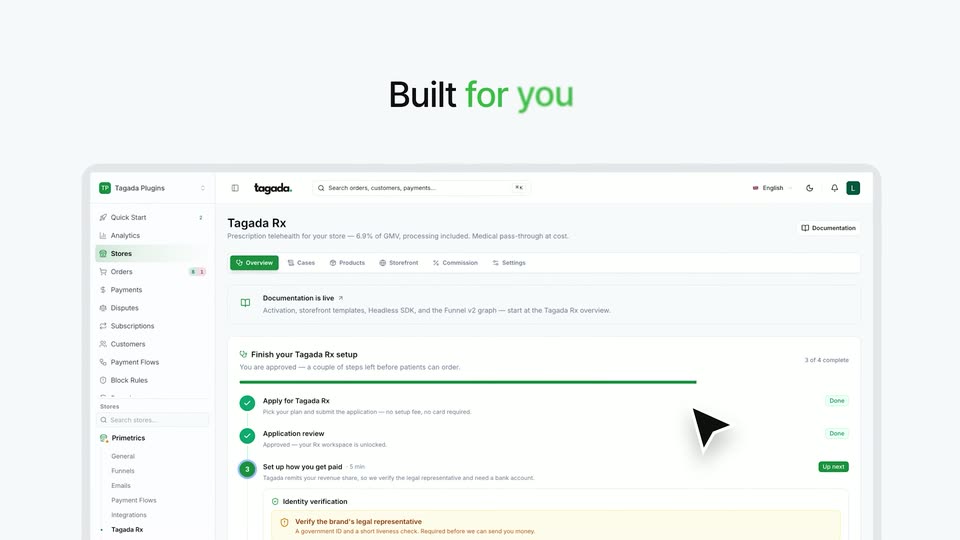
TagadaRx · Oct 2026
The navy Flex wordmark with a light-blue dot accent sits centered on a soft blue-to-white gradient, locked off. The gray caption AUTHORIZED INTEGRATION VENDOR and the teal Opendental software badge fade in beneath it.
On-screen text: “AUTHORIZED INTEGRATION VENDOR”
Camera: Static
The Flex and Opendental logo lockup holds centered on a pale blue gradient, then the headline “Running a dental practice means” eases in with a brief horizontal motion blur and settles.
On-screen text: “Running a dental practice means”
Techniques: Kinetic type
Camera: Static
A blue gradient, brighter at the top right, holds a centered white headline, 'Managing more than just'. A second line, 'Patient Care', appears below it. The frame stays locked off throughout.
On-screen text: “Managing more than just”, “Patient Care”
Camera: Static
The words Patient Care hold center in dark blue sans-serif on a pale blue gradient. Below, a row of blue circular icons extends from three to seven, each new icon sliding in from the left edge of the row.
On-screen text: “Patient Care”
Camera: Static
A white left panel swaps dark navy labels (Reminders, Confirmations, Pre-op Instructions, Post-op Follow-ups) while a row of blue rounded app icons scrolls left across a black right panel, each tile brightening with a glow as it reaches the center.
On-screen text: “Patient Care”, “Reminders”, “Confirmations”, “Pre-op Instructions”, “Post-op Follow-ups”
Techniques: Split screen
Camera: Static
Split frame: left white panel holds the headline “Post-op Follow-ups”, which slides out as “Phone Calls” slides in. Right black panel shows blue app tiles with white line icons (shield, headphones, phone) that glide and compress into pills.
On-screen text: “Post-op Follow-ups”, “Phone Calls”
Techniques: Split screen, Kinetic type
Camera: Static
A white panel with the dark gray label “Phone Calls” sits left of two blue 3D app icons, a headset and a phone with an arrow, on black. The panel slides left while the icons drift right, opening the split.
On-screen text: “Phone Calls”
Techniques: Split screen, Masking, 3D mockup, Kinetic type
Camera: Static
Flat vector illustration of a man in a purple suit at a laptop with a three-dot typing bubble. A mail icon, a task card and a document window pop in beside him, then a ghosted duplicate of the man fades in to suggest overload.
On-screen text: “Phone Calls”
Techniques: Masking, Morph
Camera: Push in
A white sentence builds word by word in the center of a blue gradient background.
On-screen text: “That's where Flex changes communication!”
Techniques: Kinetic type
Camera: Static
A headline scales in over a pale gradient, then a large blue pill shrinks into a compact Automate button with a plus icon while a 3D cursor arrow glides in from the lower right and hovers at its corner.
On-screen text: “That's where Flex changes communication!”
Techniques: Kinetic type, Cursor demo
Camera: Pull out
A 3D laptop on a blue pedestal displays the Flex messaging interface as reminder messages appear in the chat one by one, the camera pushing in slowly. A white flash then cuts to a scaling “Automate” headline.
On-screen text: “Automate”, “+”
Techniques: 3D mockup, Kinetic type
Camera: Static
On a soft white-to-blue gradient, the words assemble one by one, each sliding and scaling into a centered line. The frame stays locked off as the full phrase locks into place and holds.
On-screen text: “Without lifting a finger”
Techniques: Kinetic type
Camera: Static
A flat vector man in a teal cardigan taps his phone on a blue gradient. A white panel wipes in from the right, the figure swaps to a woman on her phone, and the headline scales in on the white side.
On-screen text: “Without lifting a finger”
Techniques: Masking, Kinetic type
Camera: Static
The frame splits into a flat illustration of a woman holding a phone on the left and a white chat thread on the right. Blue and gray bubbles type in one by one, an insurance card image appears, and the list scrolls up as messages arrive.
Techniques: Split screen
Camera: Pull out
A Gmail inbox mockup with gray placeholder bars scales in and settles on a soft blue gradient. The rounded white card tilts slightly in 3D perspective, with a faint echo of the card behind it as it lands.
Techniques: 3D mockup
Camera: Pull out
A blurred Gmail inbox sits in the background while three white follow-up cards with blue Flex avatars slide in from the right one after another. The view then pans left to reveal a March 2026 calendar panel beside the cards.
Techniques: Parallax, UI zoom
Camera: Push in
A dental scheduling interface fades in over a light blue background: a weekly grid with four provider columns in blue, purple, green and red, appointment blocks, and a March 2026 mini month panel on the right with the 20th highlighted.
Camera: Pan
A blue gradient fills the frame as a white headline builds word by word from the left, ending on “Work seamlessly with Open Dental.” The line then holds still on a locked-off frame.
On-screen text: “Work seamlessly with Open Dental.”
Techniques: Kinetic type
Camera: Static
On a pale blue gradient with a faint dot grid top-left, three lines build up: “Less manual work.” fades in dark navy, a blue arrow and “Faster responses.” slide in beneath it, then “Better patient experience.” settles below.
On-screen text: “Less manual work.”, “→ Faster responses.”, “Better patient experience.”
Techniques: Kinetic type
Camera: Pull out
A white Pre Op Message settings form fades and slides from a layered ghost into a crisp card on the right over a blue gradient. On the left, large benefit lines slide in one after another, the last one holding still.
On-screen text: “Less manual work.”, “→Faster responses.”, “Better patient experience.”
Techniques: Kinetic type
Camera: Pull out
A deep blue radial glow fills the frame while the words “powered by Flex.” fade in one by one at center, settling into a locked-off sign-off line.
On-screen text: “powered by Flex.”, “www.flexdental.com”
Techniques: Kinetic type
Camera: Static
The Flex logo with the Opendental vendor lockup sits centered on a pale blue gradient, then gives way to the website address, then to a single sentence that wipes in from left to right.
On-screen text: “www.flexdental.com”, “Flex Dental Solutions, a proud authorized vendor with Open Dental.”
Techniques: Kinetic type
Camera: Static