
1:06
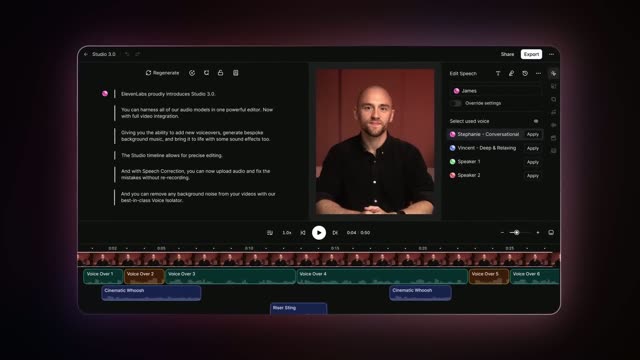

Introducing Studio 3.0 — The Best AI Audio Models in One Editor
ElevenLabs · AI · Sep 2025
Exodus · Jun 2026 · 0:43 · AI-annotated
studio SaaS Animate
The video alternates centered one-line title cards with tight phone-screen demos, each feature announced in a headline before its UI proof, and closes on the Exodus brand lockup and URL. Signature moves are line-art hexagon frames drawing in, glowing purple pills that morph between values and toggles, and scale-in headlines with a single word tinted violet.
ElevenLabs · AI · Sep 2025
Blackbox AI · Jun 2026
Whoop · Hardware · Sep 2021
On a near-black background, thin violet line art of a rounded hexagon and two curved swap arrows draws in around the centered headline, which scales up into place with the word Swap in purple.
On-screen text: “New Swap Experience”
Techniques: Kinetic type
Camera: Static
A dark title card with thin purple hexagon outlines. The white headline 'New Swap Experience' with 'Swap' in purple scales in over a faint circular swap icon, then crossfades into a purple toggle switch beside the word 'Activated'. Both fade to leave the swap icon, and a 3D phone with the swap screen rises into frame.
On-screen text: “New Swap Experience”, “Activated”
Techniques: Kinetic type, 3D mockup
Camera: Static
A 3D phone mockup shows a SOL-to-ETH swap screen under the Swap Fees title. The frame pans down to the Swap button as as low as 0.5% appears below. The screen cuts to a Receiving ETH confirmation, then the phone fades and Fixed Rates lands in a glowing pill.
On-screen text: “Swap Fees”, “as low as 0.5%”, “Fixed Rates”
Techniques: 3D mockup, UI zoom
Camera: Static
On a dark grid of outlined cards, a center card with a purple edge glow holds a white padlock that snaps shut, then turns into a solid white tile as the words 'Preview' and 'shows' fade in on the side cards.
On-screen text: “Preview”, “shows”
Techniques: Morph
Camera: Static
A centered headline on a black field swaps from “Preview shows” to “expected rate”, the first word tinted purple. Faint purple card outlines frame the edges while a tilted 3D code panel rises from the bottom.
On-screen text: “Preview shows”, “expected rate”
Techniques: Kinetic type, 3D mockup
Camera: Static
A phone screen shows a swap interface with SOL and JUP amounts and a purple Swap button, then zooms into a confirmation view where a circular progress ring and the JUP icon appear above the heading Receiving JUP! as the body text scales in.
Techniques: UI zoom
Camera: Static
On a black field with faint purple rounded outlines, centered text reads 'Swap a little' in white and purple, then swaps to 'Or a looooooot' as the purple word stretches out.
On-screen text: “Swap a little”, “Or a looooooot”
Techniques: Kinetic type
Camera: Static
On a black background, a glowing purple pill shows 'Or a looooooot', then cuts to a large white value with a Bitcoin badge. Below, a slider pill labeled MIN, HALF, MAX has a purple highlight that slides between the ends.
On-screen text: “Or a looooooot”
Camera: Static
A glowing purple crypto amount card reading 1.4823 with a Bitcoin icon sits above a MIN, HALF, MAX button. The stack scrolls upward, sliding a second card showing 39.02 into view from below on a black background.
Camera: Pan
A glowing swap card shows 39.02 and an ETH icon, then the display flips to a large DONE! sliding in. The card collapses into a small pill that expands into the caption 100,000+ assets to swap, as a field of token chips fades in around it.
On-screen text: “100,000+ assets to swap”
Techniques: Kinetic type, Morph
Camera: Static
A grid of glowing purple pills, each holding a hexagon icon and a crypto name, fills the frame and drifts slowly to the left. A bright horizontal light beam sweeps across the middle row.
On-screen text: “SOLANA”, “BITCOIN”, “LITECOIN”, “ALGORAND”, “XRP”, “ETHEREUM”, “TRON”, “KAVA”, “CARDANO”, “TEZOS”
Techniques: Light sweep
Camera: Pan
A glowing circular button with a sun icon sits over a blurred list of crypto asset pills on a purple field. The circle stretches into a toggle switch as the knob slides right and the background pills fade out.
Techniques: Morph
Camera: Static
A dark pill-shaped toggle with the white label “All day” and a sun icon sits centered on a purple gradient. The label and icon fade out, leaving the glowing empty pill.
Camera: Static
A glowing pill-shaped toggle rests on black. Its circular knob, marked with a crescent moon and two stars, slides from the left end to the right, passing over the static label And night. The frame stays locked off.
On-screen text: “And night”
Camera: Static
On a near-black background, a glowing white orb thins into a ring, then bends into a purple lightning-bolt outline inside a rounded hexagonal frame. The phrase “Lightning fast” fades in at the center and holds still.
On-screen text: “Lightning fast”
Techniques: Morph
Camera: Static
On a near-black background framed by thin purple hexagon outlines, a centered headline cycles through three phrases. A faint line-art lightning bolt sits behind the first, then a clock outline behind the next two, each phrase scaling into place.
On-screen text: “Lightning fast”, “Lowered minimums”, “It's your call”
Techniques: Kinetic type
Camera: Static
A front-facing phone shows a swap screen with BTC and ETH rows; the view scrolls up and zooms into the lower half as the Swap button appears, then the screen switches to a confirmation message with text sliding in.
Techniques: UI zoom, Kinetic type
Camera: Static
A phone mockup centered on a dark field shows a swap confirmation screen with a purple button. The whole device fades to black, leaving only a thin purple rounded outline and a faint white disc at the bottom.
Techniques: 3D mockup
Camera: Static
Inside a purple hexagon outline on black, the centered headline 'Just Swap It', with 'Swap' in purple, starts bright, then dims as the line 'in EXODUS' with its glyph logo brightens below it. The whole text lockup scales gently throughout.
On-screen text: “Just Swap It”, “in EXODUS”
Techniques: Kinetic type
Camera: Static
A dark purple field fades up to the blue Exodus logo and exodus.com above two angled phones. The left phone shows a portfolio ring and asset rows, the right a Bitcoin price and yellow line chart, then the frame dims out.
On-screen text: “EXODUS”, “exodus.com”
Techniques: 3D mockup
Camera: Static
A dim circular icon and the wordmark EXODUS hold centered on a near-black field, then fade to solid black.
On-screen text: “EXODUS”
Camera: Static