1:31

Oki Home YC Launch Video
Oki Home · Nov 2026
ElevenLabs · Oct 2026 · 1:11 · AI-annotated
The video is built as a monochrome storyboard of abstract chrome spheres, dashed-line diagrams and flat type cards, cutting slowly between pale gray and near-black fields. Signature moves include the sphere morphing from a tiny dot to a full-frame ball, word-by-word typed transcripts over defocused gray gradients, and zoom-blur pullbacks that bridge each beat.
Oki Home · Nov 2026
Apple · Hardware · Oct 2026
Mercury · Finance · Apr 2023
On a plain light gray background, a centered black pause icon scales up and the wordmark IIEleven Realtime resolves from it, letters sliding and fading into a still logo.
On-screen text: “II”, “IIEleven Realtime”
Techniques: Kinetic type
Camera: Static
On a cream background, the static title 'Eleven Realtime' sits behind a small black circle crossed by a thin white wave line. The circle scales up to fill the frame as the line morphs into a dense waveform with a small gray sphere at its center.
On-screen text: “IIEleven Realtime”
Techniques: Morph
Camera: Push in
A near-black disc on a light gray field holds a thin gray audio waveform and a small metallic sphere. The disc scales up, the wave's peaks grow, and the sphere glides left along the line.
Camera: Push in
A black disc on a pale background scales up as two small metallic spheres at its center separate into three, linked by thin lines into a compact node cluster.
Camera: Push in
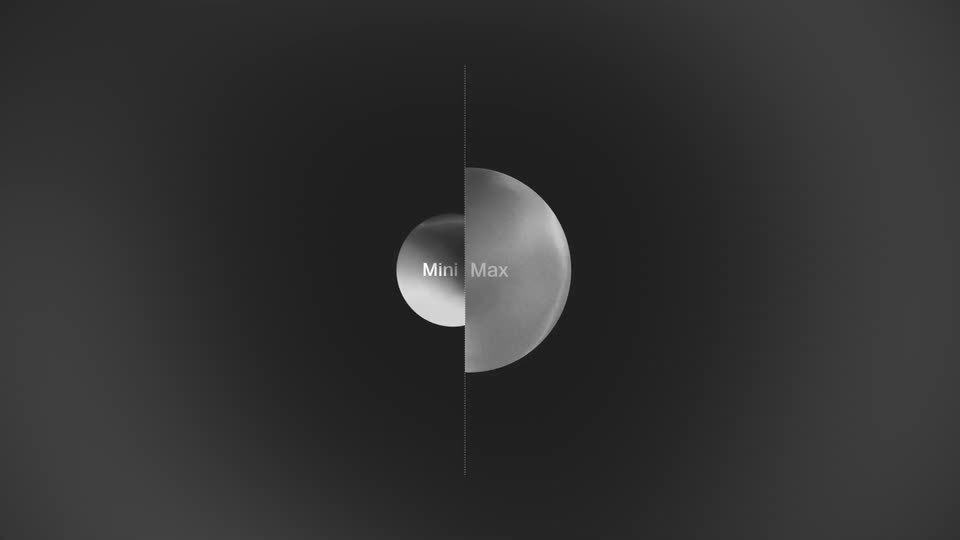
Two brushed-metal spheres labeled Mini and Max float on a dark field, joined by a dotted line. They pull apart, then slide to the center and merge into a single sphere bisected by a vertical dotted line, the two labels meeting side by side.
On-screen text: “Mini”, “Max”
Techniques: Morph
Camera: Static
Two grainy 3D spheres marked Mini and Max grow from a small pair to full size at the center of a dark field, divided by a vertical dashed line. Use-case labels scale and slide in on either side, tied to the spheres by dashed connectors.
On-screen text: “Educational tutors”, “Customer interviews”, “Customer support”, “Interactive characters”, “Lead qualification”
Techniques: Kinetic type
Camera: Static
A dark abstract diagram: a gradient circle labeled 'Mini/Max' at center, dashed lines linking it to use-case labels on both sides. The circle drifts right and grows, the left labels scale up, the right labels slide off, and a white band wipes in from the left.
On-screen text: “Mini/Max”, “Customer interviews”, “Educational tutors”, “Interactive characters”, “Lead qualification”, “Customer support”
Camera: Static
Split white and black background. A large grayscale sphere labeled Mini slides back and forth across the dividing line, while three black labels on the left connect through dashed lines to a small dot that tracks the sphere.
On-screen text: “Customer interviews”, “Educational tutors”, “Interactive characters”, “Mini”
Camera: Static
A dark gradient sphere labeled Mini glides from the right edge toward the left across a white background. A black side panel wipes off-screen and a three-line feature list fades out as the sphere settles.
On-screen text: “Customer interviews”, “Educational tutors”, “Interactive characters”, “Mini”
Techniques: Masking
Camera: Push in
A soft, out-of-focus gray gradient fills the frame while a chat transcript types out word by word. A small gray sphere marks the first message, a tiny waveform icon marks the voice reply, and each new line fades the previous one to a dimmer gray.
On-screen text: “Hey Sarah, thanks for making time. So - how was your first month using the app?”, “Honestly, a bit frustrating at the start. I found it hard to navigate and almost gave up.”, “That's not ideal. Which parts felt confusing?”
Techniques: Kinetic type
Camera: Static
A dark, blurred backdrop carries a gray quote above a white reply line with a small chrome sphere bullet. The reply completes word by word, then the sphere swells into a large 3D ball marked “Max” that fills the left of the frame as the rest goes black.
On-screen text: “Honestly, a bit frustrating at the start. I found it hard to navigate and almost gave up.”, “That's not ideal. Which parts felt confusing?”, “Max”
Techniques: Kinetic type, Morph
Camera: Static
A soft white 3D sphere labeled Max floats on black, its surface gently deforming. A dot at its edge draws dashed lines to Lead qualifications and Customer support, which fade in, then out as the sphere swells across the frame.
On-screen text: “Honestly, a bit frustrating at the start. I found it hard to”, “That's not ideal. Which parts felt confusing?”, “Max”, “Lead qualifications”, “Customer support”
Camera: Pan
A soft gray 3D sphere fills the frame, then the view pushes in to a smooth gradient. Conversation lines build word by word in white, each with a small icon; the new line stays bright while the previous dims and slides up.
On-screen text: “Hi, you've reached Eleven Mobile. How can I help?”, “Hi. My data hasn't been working all morning.”, “I'm sorry to hear that, I'll take a look now.”
Techniques: Kinetic type
Camera: Push in
On a soft, out-of-focus gray gradient, a small gray dot leads a chat line that slides in; a monospace JSON block and tool call type out in the center; the screen clears and a new line, “Ok,”, appears at the left.
On-screen text: “I'm sorry to hear that, I'll take a look now.”, “Ok,”
Techniques: Kinetic type
Camera: Static
A soft, out-of-focus gray surface drifts slowly as a white line types out word by word beside a small gray dot, wrapping to a second line to complete the outage message.
On-screen text: “Ok, I can see an outage in your area - engineers are already on it, and service should be restored within the hour.”
Techniques: Kinetic type
Camera: Static
A two-line white message with a small sphere bullet floats on a soft gray curved surface. The camera then pulls back with a zoom blur, shrinking the text as a transition.
On-screen text: “Ok, I can see an outage in your area - engineers are already on it, and service should be restored within the hour.”
Camera: Static
A brushed-metal sphere scales up at the center of a dark gradient field while five white pill labels with voice features slide in along dashed orbital rings, then the view pulls back so the sphere shrinks to a dot and the rings widen.
On-screen text: “Ok, I can see an outage in your area - engineers are al”, “on it, and service should be restored within the hour.”, “Speech to text”, “Turn Taking”, “Text to Speech”, “Interruption Detection”, “Voice Activity Detection”
Techniques: Kinetic type
Camera: Push in
A white lens shape on a dark field flattens and widens into an eye silhouette, framed by dashed construction arcs. The caption 'Natural interactions' stays centered inside the shape and scales gently.
On-screen text: “Natural interactions”
Techniques: Morph
Camera: Static
On a light gray card, the headline Lower Latency sits centered while two columns of faint latency values (900 ms down to 400 ms) fade out around it. The headline then swaps for the word Its as the next line begins to scale in.
On-screen text: “Lower Latency”, “Its”, “Natural interactions”
Techniques: Kinetic type
Camera: Static
A plain light-gray card centers the black headline “IIEleven Agents”, which morphs into “IIEleven API” as a smaller URL types in below with a caret. The frame stays locked off.
On-screen text: “IIEleven Agents”, “IIEleven API”, “elevenlabs.io/realtime”
Techniques: Kinetic type
Camera: Static