4:07
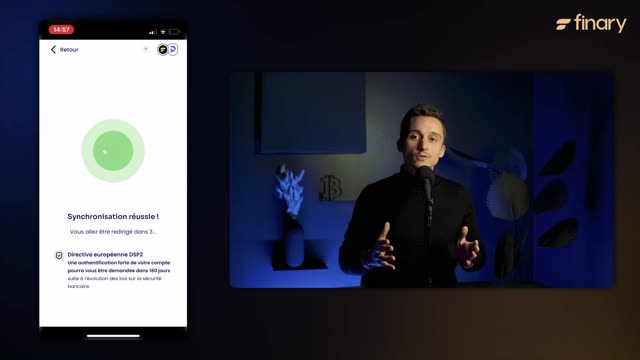

Gérez votre budget efficacement et simplement avec Finary !
Finary · Finance · Dec 2023
Cursor · Jun 2025 · 1:09
Alternates warm living-room host segments with flat or tilted 3D product UI on a cream field, holding one continuous voiceover across all cuts. Pacing runs near 15 cuts per minute, each feature hand-off bridged by the hosts before the UI demo, and the video closes on a black logo-to-URL card.
Finary · Finance · Dec 2023
Juicebox · Oct 2026
GitHub · Developer tools · Nov 2024
Two men sit at a wooden table in a living room. The man on the right in a black hoodie speaks to camera; the man on the left in glasses listens, glancing toward him. A black laptop sits on the table, lid to camera.
Camera: Static
A man in a black zip hoodie talks to camera in a softly lit room, blurred plants and window behind him. A white lower-third caption with his name and role fades in on the right, then the shot cuts to a tighter close-up.
On-screen text: “Andrew Milich”, “Product”
Camera: Static
A young man in a dark hoodie speaks to the camera in a softly lit room, the background blurred around a warm lamp glow. He talks, then closes his eyes and finishes with a small smile.
Camera: Static
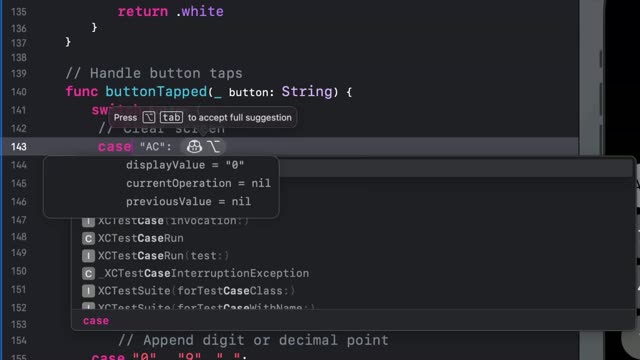
On a dark dashboard, a mouse cursor hovers above a command field that fills with a typed task. A new agent row drops into the list, and a small toast confirming the background agent slides up at the bottom left.
Techniques: Cursor demo
Camera: Static
A dark interface card with a spinner and the label Started background agent sits in the lower left of a black screen, then the shot cuts to a man in round glasses and a dark cardigan, centered, facing the camera in a softly lit room with blurred curtains.
Camera: Static
A man with round gold-rimmed glasses and a dark cardigan over a cream sweater sits in a blurred, warmly lit room, talking to the camera. A white lower-third caption fades in at the lower right to name the speaker.
On-screen text: “Jason Ginsberg”, “Product”
Camera: Static
A flat front-view laptop on a beige background shows a dark agent interface: a pull-request summary on the left, a features panel on the right. A white cursor opens a small dropdown menu, then the file summary expands and the cursor moves to the Open in Cursor button.
Techniques: Cursor demo
Camera: Static
A dark code editor fills the frame: a CSS file with color variables in the center, a file tree left, an AI chat panel right. The cursor rests on line 8 as the status bar reports a background agent is opening. The frame stays locked off.
Camera: Static
A code editor fills the frame with a file tree, a markdown document and a code diff. A context menu opens over the tree as the cursor hovers a menu item, then the menu closes and the cursor moves to the diff.
Techniques: Cursor demo
Camera: Static
A tilted 3D view of a dark code editor with a chat panel; a cursor sits in the input field and types a follow-up instruction about adding a captcha.
Techniques: 3D mockup, Cursor demo
Camera: Static
Two men sit at a wooden table in a softly lit living room. The man on the right speaks to camera with a laptop open before him, while the man on the left listens with his hands folded.
Camera: Static
A dark developer app interface floats in slight 3D perspective on a beige background. A cursor clicks the Create PR button, which flips to View PR as a green Squash merge button appears; the cursor then clicks it and the label changes to Merging.
Techniques: 3D mockup, Cursor demo
Camera: Static
Two men sit at a wooden table in a softly lit room. The man on the left, in glasses and a cream sweater, gestures with both hands as he speaks; the man on the right, in a black hoodie, listens with a laptop open before him. Locked-off medium shot.
Camera: Static
A dark agent dashboard: a cursor opens the model picker under a prompt card, ticks O3 and Opus next to Sonnet, then submits. The card flips to a Generating state with a Stop button while three New Background Agent rows drop into the list.
Techniques: Cursor demo
Camera: Static
A man in round gold glasses and a navy cardigan speaks to an off-screen interviewer, held in a steady medium close-up against a softly blurred living room with a lamp and sofa.
Camera: Static
A phone on a cream background types a prompt into the Cursor app with an on-screen keyboard, the task list updates, then a detail panel slides up where the Create PR button shifts from blue to green Merging, then purple Merged.
Camera: Static
Two men sit at a wooden table in a living room. The man on the left, in a cream sweater and dark cardigan, speaks to camera; the man on the right in a black hoodie sits beside an open black laptop, its lid facing the viewer. Static frame.
Camera: Static
A man with round gold glasses and a dark cardigan over a cream shirt speaks just off camera, smiling. A lamp and curtains sit blurred in the warm background.
Camera: Static
On a black field, a small 3D cube spins at the center, its faces brightening from gray to white before settling into a still hexagonal mark. The cube dims as the gray URL cursor.com/agents fades in at the center, then the frame fades to black.
On-screen text: “cursor.com/agents”
Techniques: 3D mockup
Camera: Static
A centered URL appears on a black background, then fades out to black in a locked-off frame.
On-screen text: “cursor.com/agents”
Camera: Static