1:33

The new Copilot: where work comes together
Microsoft · AI · Sep 2026
Cursor · Oct 2025 · 1:04 · AI-annotated
The film alternates flat cream type cards with tight UI close-ups, each feature announced by a sentence that types in from gray to black before cutting to the interface. Signature moves are the letter-by-letter text reveal, push-in and zoom-out camera moves on the IDE, and the faceted cube logo bookending the piece.
Microsoft · AI · Sep 2026
Cursor · Developer tools · Mar 2026
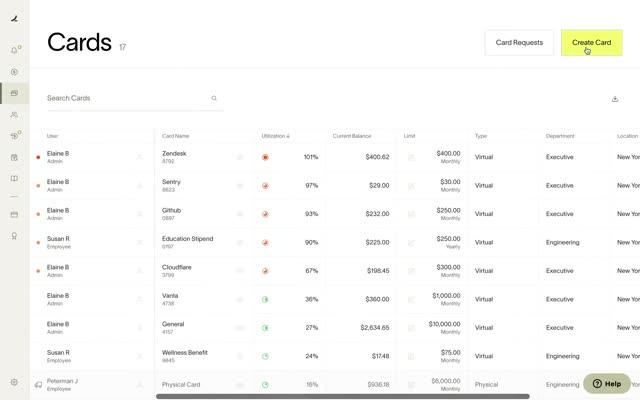
Ramp · Finance · Mar 2021
A gray faceted hexagon cube logo sits centered on a cream background, its white face rotating around the shape as 2.0 scales in to its right. The solid cube then flattens into a thin line-art hexagon.
On-screen text: “2.0”
Techniques: Morph
Camera: Static
A plain off-white card holds the centered black headline “Introducing Composer, our first agent model.”; the second line fades from light gray to black, then the text clears and two horizontal axis lines with tick numbers and the labels Intelligence and Speed appear at the bottom.
On-screen text: “Introducing Composer,”, “our first agent model.”, “Intelligence (Cursor-Bench score)”, “Speed (Tokens per Second)”
Techniques: Kinetic type
Camera: Static
A two-column horizontal bar chart builds on a cream background. Gray bars for five model rows fill in, with the Composer row rendered in solid black to stand out. The final row, Best Frontier, fades in last beneath the Intelligence and Speed axes.
On-screen text: “Best Open”, “Fast Frontier”, “Frontier 7/2025”, “Composer”, “Best Frontier”, “Intelligence (Cursor-Bench score)”, “Speed (Tokens per Second)”
Camera: Static
A plain light background holds the sentence as it fades in word by word from gray to black. The frame stays locked off until the Cursor IDE window, edged with a colorful border, dissolves in behind the text.
On-screen text: “And a new Cursor built for agents.”
Techniques: Kinetic type
Camera: Static
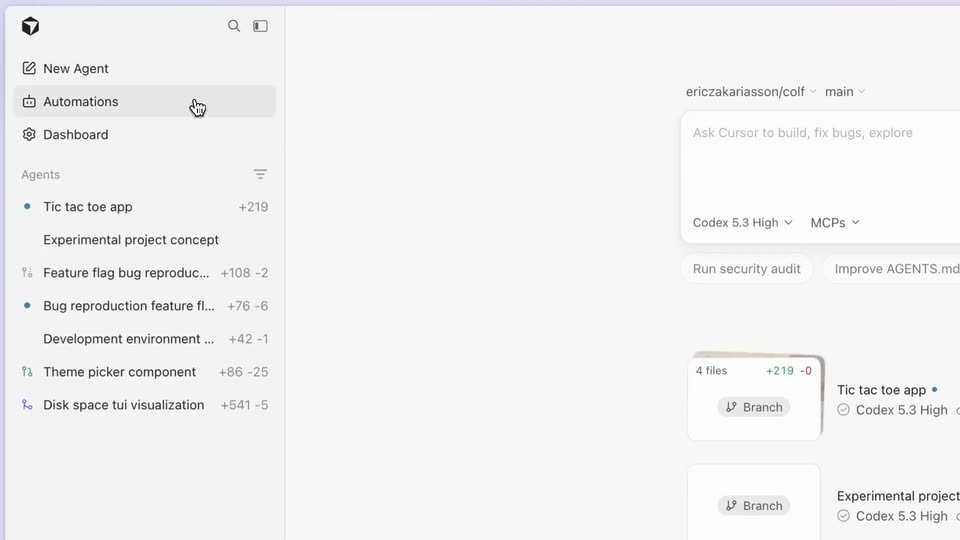
A Cursor window shows the IDE, then the view pushes into the toolbar as the cursor clicks Agents. The sidebar swaps to an agent list, and a still caption reads And a new Cursor built for agents.
On-screen text: “And a new Cursor built for agents.”
Techniques: UI zoom, Cursor demo
Camera: Static
A macOS app window with an agent list and composer box crossfades to a plain light background, isolating the composer. The prompt add -E option for extended regex sits above the Agent and Local controls, a cursor resting beside it.
Camera: Static
A centered black sentence reveals letter by letter on a light gray field, trailing glyphs in light gray. It cuts to a rounded composer box with typed text and a blinking caret, a chip toolbar and icons below.
On-screen text: “Run a task across multiple models.”
Techniques: Kinetic type
Camera: Static
A light chat interface shows a typed prompt and an open multiplier dropdown. A cursor hovers the 3x option, then the screen updates to a New Chat view with three model cards loading above the input.
Techniques: Cursor demo
Camera: Static
A close-up of an AI coding agent interface streams in a model's response and code diffs across three parallel model cards. The view zooms out to the full app window on a desktop as a cursor switches the active model from GPT-5 Fast to Composer 1.
Techniques: UI zoom, Cursor demo
Camera: Pull out
On a flat light gray field, a single sentence types in from left to right. The laid-out text sits in gray while the typed portion turns solid black, finishing the line by mid-clip.
On-screen text: “Review changes in a single place.”
Techniques: Kinetic type
Camera: Static
A code review UI in a light IDE. The frame pulls back from the summary and file list to reveal the whole window, then pushes into the diff pane, following a cursor as it moves across the edited Rust files.
On-screen text: “Review changes in a single place.”
Techniques: UI zoom, Cursor demo
Camera: Push in
A plain off-white frame holds a centered headline that types itself out left to right. The letters land in light gray and settle to black as the line completes, ending fully dark.
On-screen text: “Work with a built-in browser.”
Techniques: Kinetic type
Camera: Static
A full IDE window with a sidebar, prompt panel and embedded browser zooms into the code editor on the right, where a cursor hovers over the read-only toggle. A static caption labels the shot.
On-screen text: “Work with a built-in browser.”
Techniques: UI zoom, Cursor demo
Camera: Static
Side by side, an agent IDE and a browser open a coding challenge page, with DevTools below. The cursor closes a dropdown, inspects a div, types a prompt that references it, and the shot zooms into the IDE panel.
Techniques: Split screen, Cursor demo, UI zoom
Camera: Push in
A close-up of the agent composer types a prompt about stacking tokens and actions; the camera pulls back to the full IDE window with the agent's task list, a live Colf preview, and a Fast Refresh console, then zooms into the chat log and ends on the console.
Techniques: UI zoom
Camera: Pull out
A coding platform screen shows a list of solved problems on the left and a token counter with New attempt and Submit buttons on the right, while a browser console below logs rebuilding times. The token counter flickers with a horizontal glitch.
Camera: Static
On a black field, a white hexagonal cube mark scales down from center and settles at left as the wordmark CURSOR scales in beside it. The lockup then holds centered in the frame.
On-screen text: “CURSOR”
Camera: Static