1:05
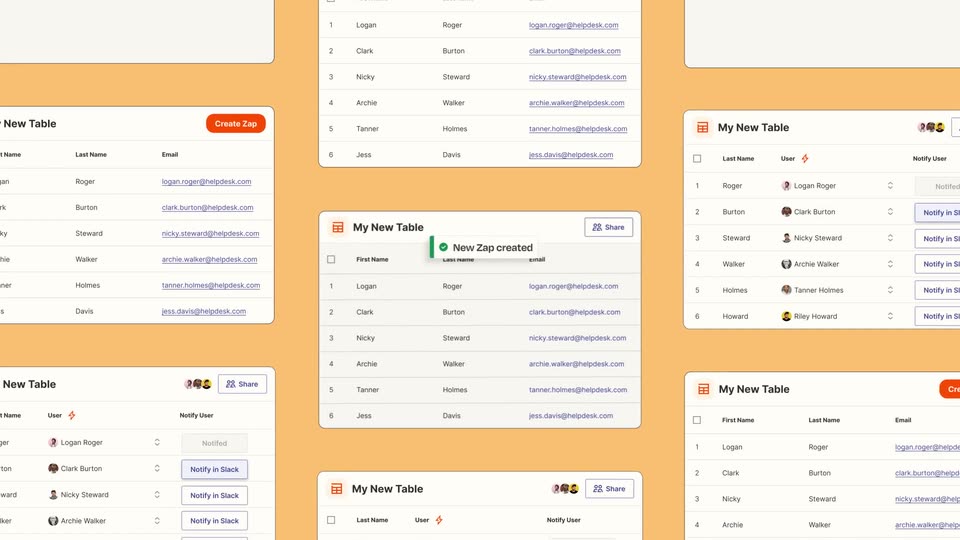

Introducing Zapier Tables
Zapier · Productivity · May 2023
The Browser Company · Dec 2022 · 3:36 · AI-annotated
The video is a single uncut screen recording that walks through one feature in three real-time examples, a unit converter, a personal easel and a team quiz, letting the live cursor and the pink sidebar carry all the motion. Its signature moves are the persistent corner webcam, the hands-on widget interactions and the handwritten 'hit play!' notes that punctuate each demo.
Zapier · Productivity · May 2023
Granola · Productivity · Jul 2025
Attio · Business software · Feb 2026
A screen recording of the Arc browser shows a pink sidebar of spaces beside an empty white canvas, the cursor resting in the middle. A small circular webcam in the lower-left corner shows a woman speaking to the camera. The frame stays locked-off for the whole clip.
Camera: Static
A browser window shows a Google search results page with a pink sidebar and a circular video call of a woman at the lower left. A cursor moves up to the address bar and hovers a small icon, popping a tooltip.
Techniques: Cursor demo
Camera: Static
A browser shows a Google results page. A camera cursor drags a white box around the unit converter widget, which detaches into a floating card. A context menu slides in on the right as the cursor hovers its items. A circular webcam of a woman sits in the corner.
Techniques: Cursor demo
Camera: Static
A browser view shows a small Google Search card holding a unit converter widget. The cursor taps the corner icon and the card expands to fill the screen, enlarging the title and converter. A circular webcam feed of a woman stays in the lower left.
Techniques: Cursor demo, UI zoom
Camera: Static
A screen recording of the Arc browser shows a Google search result for a unit converter. A blue outline draws around the conversion widget as a new link row slides in at its base, while a cursor moves to hover over the play button.
Techniques: Cursor demo
Camera: Static
A screen recording of the Arc browser shows a Google results page for unit converter beside a pink sidebar of saved spaces and a circular video-call bubble of the presenter. The cursor drifts from the results to a sidebar tab as the page header icons appear.
Techniques: Cursor demo
Camera: Static
A full browser window shows a Google unit-converter widget on a pink sidebar canvas, with a small webcam bubble bottom left. A cursor clicks the widget, opens unit dropdowns and switches between Millimeter, Foot, Yard and Nanometer as the result updates.
Techniques: Cursor demo
Camera: Static
On a floral easel, a date card, calendar, to-do list, two cat photos and a lo-fi video sit beside a corner face-cam. The cursor clicks the date forward, ticks a to-do box, hovers the music and GitHub cards, then drags the to-do card.
Techniques: Cursor demo
Camera: Static
A screen recording of the Arc browser shows a Guess the Lunch page with three food photos, a hints list, and a multiple-choice form, while a small video-call avatar sits in the corner and a handwritten hit play! note points to the play button. The view scrolls slightly downward.
On-screen text: “hit play!”
Camera: Static
A browser window displays a 'Guess the Lunch' quiz page with food illustrations and downward arrows; the page scrolls down through form mockups and a 'Round 1' photo row, with a circular webcam feed of a presenter in the lower-left corner.
Camera: Static
A browser window scrolls up to reveal a quiz page with three food photos labeled A to C and a GUESS THE LUNCH grid. The cursor clicks clear, picks radio buttons, then check answers, coloring rows red and green. A yellow arrow captioned hit play! points at the audio bar.
On-screen text: “hit play!”
Techniques: Cursor demo
Camera: Pan
An Arc browser screen shows a 'Guess the Lunch' game; a handwritten 'hit play!' arrow points at a button, then the page scrolls up to settle, revealing four food photos and a voting grid, while a woman's video feed talks in a circle at bottom left.
On-screen text: “hit play!”
Techniques: Cursor demo
Camera: Pan