2:48
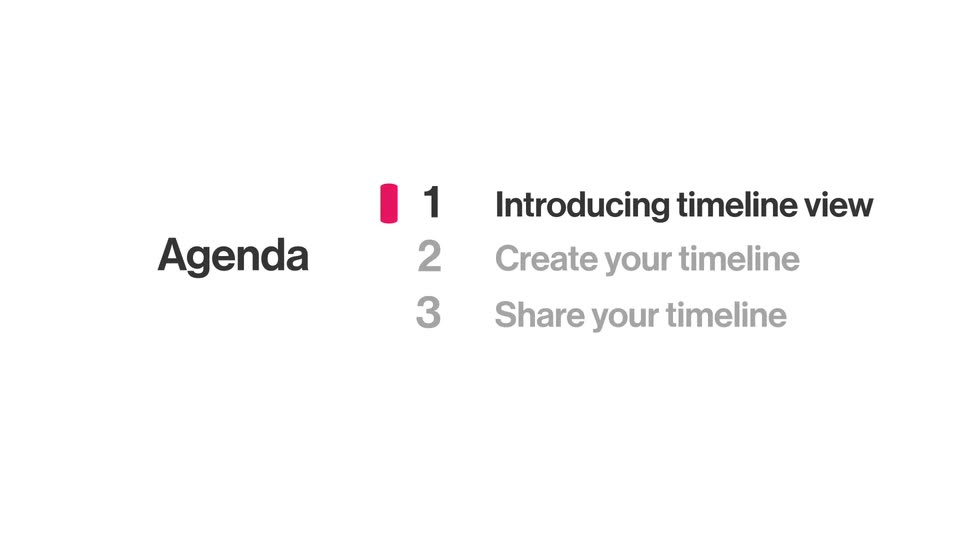
Introducing Timeline View | Airtable
Airtable · Productivity · Sep 2021
Anthropic · Jan 2026 · 1:08 · AI-annotated
A single continuous UI walkthrough on cream grid paper, bookended by serif title cards and the Claude wordmark. Pacing is slow and cursor-driven, with typing text, expanding cards and morphing icons as the signature moves.
Airtable · Productivity · Sep 2021
Vercel · Developer tools · Oct 2023
Notion · Productivity · Apr 2025
A plain beige field holds a single centered line in a dark serif face. The line fades in from a faint gray to full contrast over the first second, then holds still on a locked-off frame.
On-screen text: “Now available as a research preview”
Camera: Static
A white pill button labeled Chat sits centered on a cream background as a cursor hovers below it. The pill widens to reveal a grayed Cowork segment, the cursor slides right and the white highlight shifts under Cowork, then the button shrinks to a tiny orange shape.
Techniques: Cursor demo
Camera: Static
An orange tile morphs into a lightning bolt, then shrinks above a serif headline that grows word by word. A panel of six task chips slides in; a cursor hovers across them while a prompt box types a sentence, ending with a folder chip and an orange button.
On-screen text: “Let's knock something off your list”
Techniques: Morph, Kinetic type, Cursor demo
Camera: Static
A macOS open-file dialog window pops in over a dimmed app background, resolving from a brief doubled echo, then a hand cursor hovers over a blue folder icon while a second arrow cursor rests near the bottom row.
Techniques: Cursor demo
Camera: Static
A macOS file-picker dialog floats over a dimmed app window, a hand cursor resting on the highlighted Meeting Topics folder. The dialog lifts away and the card grid with the meeting prompt snaps into focus.
Techniques: Cursor demo
Camera: Static
A white prompt card on a cream grid zooms in as a black arrow cursor hovers the attachment pill, which reads 'Meeting Transcripts'. The view pans right to the orange 'Let's go' button, where a hand cursor presses it.
Techniques: UI zoom, Cursor demo
Camera: Pan
On a cream grid background, black serif text types in word by word, then a second line drops in below. A small orange starburst icon rotates slowly under the words.
On-screen text: “I'll take a look through these now.”, “One quick question—”
Techniques: Kinetic type
Camera: Static
On a faint grid background, a white input field types out the question, then expands downward into a card listing four numbered options and a Skip button. A cursor glides down the list and highlights the second row.
Techniques: Morph, Cursor demo
Camera: Static
A white card with a detail-level list and a cursor on the highlighted row fades out over the grid background, and the serif word Build with an orange asterisk fades in at center.
On-screen text: “Build”
Techniques: Cursor demo
Camera: Static
On a cream grid background, an orange sunburst loader shrinks to a dot beside the italic serif text. The frame stays locked, then a white rounded card labeled Progress with an up chevron appears centered.
On-screen text: “Buildingplan...”
Camera: Static
A white progress card on a pale grid background expands from a collapsed pill into a four-item checklist, the first item's number badge turning into a blue check. The card then fades out and the gray word “actually” appears centered.
On-screen text: “actually one more thing”
Techniques: Morph
Camera: Static
On a cream grid-paper background, a gray chat bubble types out “actually one more thing” at center, then slides to the right as two more request bubbles stack below it. A small orange starburst sits at the lower left while a serif reply types out beneath the messages.
On-screen text: “actually one more thing”, “can you check my calendar for what's urgent tomorrow?”, “oh and prep the deck for tmrw's team standup”, “On it - I'll check your calendar and prep the standup deck while I finish up the meeting analysis.”
Techniques: Kinetic type
Camera: Static
A white progress card listing four checklist steps floats over a faint grid background with a ghosted task list. The card slides out left, revealing the list in dark gray as blue numbered circles draw in beside items three to five.
Camera: Push in
A browser mockup eases from a 3D tilt to a flat front view over a beige grid. The orange highlighted Calendar tab and Claude tab sit above a Google Calendar page, with two static captions.
On-screen text: “Build standup deck”, “Find action items”
Techniques: 3D mockup
Camera: Static
On a pale grid, a folder icon and the label Meeting Transcripts slide in, then rows for SKILL.md, pptx-patterns.md, css.md and claude in chrome stack into a list. The list settles in a rounded card titled Context, which swaps to an Artifacts card showing Meeting summaries and Action items.
Camera: Pull out
A rounded Artifacts card on a grid-paper background lists two document rows. A third row, Team standup deck, slides in and fills with a gray highlight as a cursor glides in from the lower right to hover it.
Techniques: Cursor demo
Camera: Static
A three-panel app interface settles into view: a chat summary on the left, a Product Team Standup slide deck with pink stat cards in the center, and a progress checklist on the right. A cursor hovers over the standup deck artifact, then the frame tightens onto the central slide.
Techniques: Cursor demo, UI zoom
Camera: Pan
Close-up of a white rounded reply box on a faint grid. The placeholder 'Reply...' is typed over into 'claude... you cooked' while a black cursor arrow rests on the orange send button.
Techniques: Cursor demo
Camera: Static
On a flat beige field, a pill-shaped badge with a flask icon and the label RESEARCH PREVIEW holds center. Beneath it, a dark serif headline assembles word by word into the question What will you try next? and holds.
On-screen text: “RESEARCH PREVIEW”, “What will you try next?”
Techniques: Kinetic type
Camera: Static
A small orange asterisk mark rotates and settles at the center of a beige field, then the word Claude in black serif appears to its right and holds.
Camera: Static